 IoT
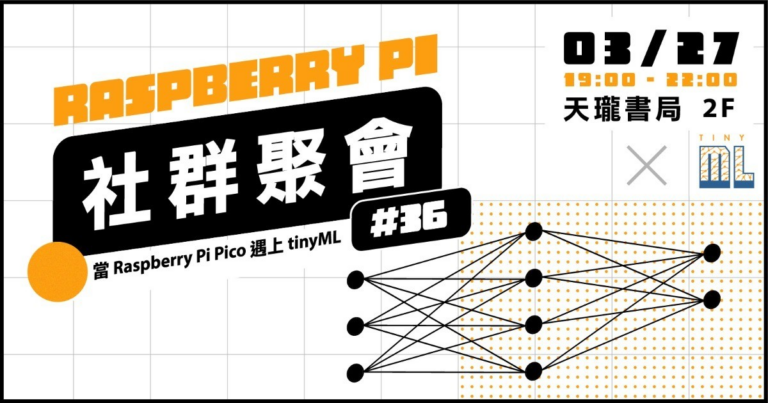
IoTThe 36th of the Raspberry Pi meetup, the topic is “tinyML”.
The 36th of the Raspberry Pi meetup, the topic is "tinyML". Speaker 1: sosorryTopic: Raspberry Pi Pico W + tinyML Speaker 2: Jack HsuTopic: Computer Vision...
IoTThe 36th of the Raspberry Pi meetup, the topic is "tinyML". Speaker 1: sosorryTopic: Raspberry Pi Pico W + tinyML Speaker 2: Jack HsuTopic: Computer Vision...
 iDempiere
The provided Java program UpdateInventoryLineByExcel is used to update the inventory line records in the iDempiere ERP software system by importing the data from an...
 iDempiere
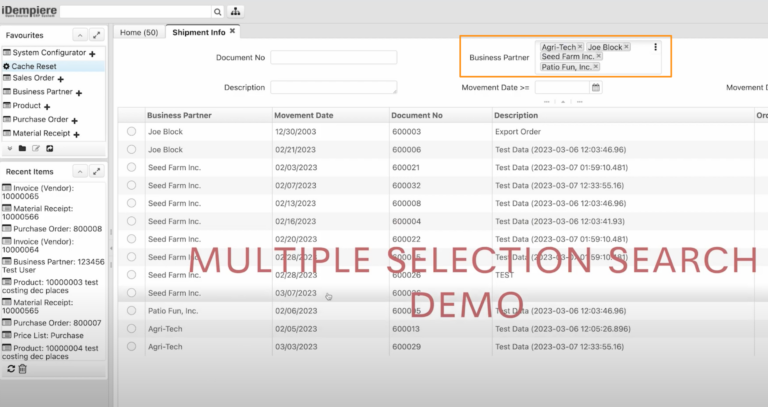
In Idempiere, you can select multiple records in a list or table by repeatedly clicking on the desired rows. The selected records can then be...
 iDempiere
<strong>Excerpt</strong><br>This article discusses the process of generating material confirmations in iDempiere ERP. It explains the steps involved in creating a receipt confirmation for materials and how the system automatically updates the receipt data once the confirmation is completed. By using iDempiere's material confirmation feature, businesses can ensure the accuracy of their inventory and streamline their supply chain management processes.
 iDempiere
In Maven, the difference between "mvn verify" and "mvn verify -U" commands lies in whether or not to force an update of the project's dependencies....
 Linux
LinuxTo change the default Java version in Ubuntu, you can follow these steps: Check the installed Java versions on your system using the command: 1....
 IoT
IoTArduino is a popular platform for creating electronic projects due to its ease of use and versatility. However, when working with digital inputs, it is important to be aware of the concept of "floating state". In this article, we will explain what floating state is and how it can affect your Arduino projects.
 IoT
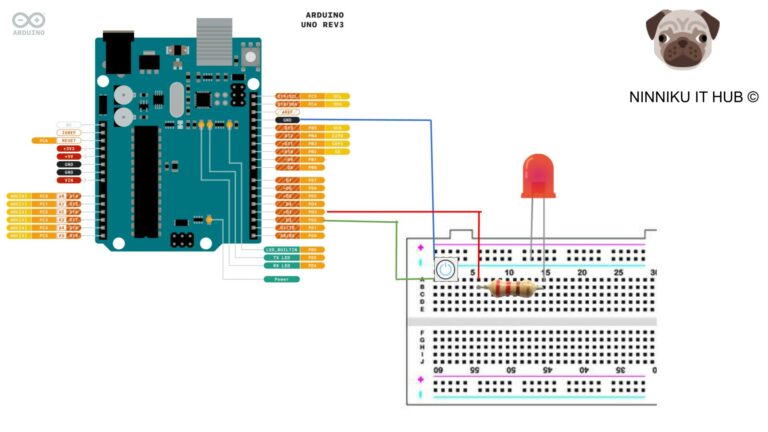
IoTIn this article, you will learn how to use an Arduino board and a button to control an LED. The article provides a step-by-step guide to setting up the circuit and programming the board using the Arduino IDE. The code example demonstrates how to turn on the LED when the button is pressed and turn it off when the button is released, using the digitalRead() and digitalWrite() functions. The article also includes ideas for customizing and expanding the circuit to create more advanced projects. By following the instructions in this guide, you can learn the basics of electronics and programming and create your own interactive projects.
 IT Tools
Description Are you struggling with managing user permissions in your PostgreSQL database? Do you want to learn how to create, modify, grant, and revoke roles...
 uncategorized
Provide challenging and growth-oriented work: For skilled and talented individuals, it is important to have opportunities to learn and grow in their work. Therefore, when...