It is possible to install iDempiere ERP on a Raspberry Pi 4. However, it is important to note that the performance of iDempiere on a Raspberry Pi 4 may be limited due to the device’s processing power and memory limitations.
To install iDempiere on a Raspberry Pi 4, you would need to follow the same installation process as you would on a regular Linux system. This involves installing a compatible Linux distribution on the Raspberry Pi, setting up the necessary dependencies, and then downloading and installing the iDempiere software.
It is recommended that you use a lightweight Linux distribution such as Raspbian or Ubuntu Server, and that you have at least 4GB of RAM on your Raspberry Pi. You may also need to adjust the iDempiere configuration settings to optimize performance on a low-powered device like the Raspberry Pi.
Overall, while it is possible to install iDempiere on a Raspberry Pi 4, it is important to carefully consider the limitations and potential performance issues before doing so.
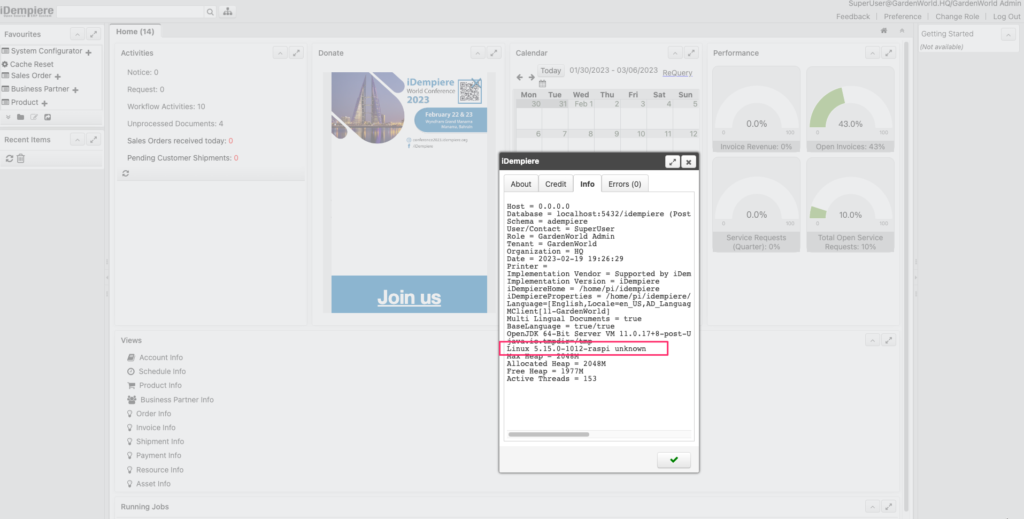
Here is a guide to introduce how to install iDempiere on Raspberry Pi.
English Version
It is possible to install iDempiere ERP on a Raspberry Pi 4. However, it is important to note that the performance of iDempiere on a Raspberry Pi 4 may be limited due to the device’s processing power and memory limitations.
To install iDempiere on a Raspberry Pi 4, you would need to follow the same installation process as you would on a regular Linux system. This involves installing a compatible Linux distribution on the Raspberry Pi, setting up the necessary dependencies, and then downloading and installing the iDempiere software.
It is recommended that you use a lightweight Linux distribution such as Raspbian or Ubuntu Server, and that you have at least 4GB of RAM on your Raspberry Pi. You may also need to adjust the iDempiere configuration settings to optimize performance on a low-powered device like the Raspberry Pi.
Overall, while it is possible to install iDempiere on a Raspberry Pi 4, it is important to carefully consider the limitations and potential performance issues before doing so.
Here is a guide to introduce how to install iDempiere on Raspberry Pi.
日本語版
Raspberry Pi 4にiDempiere ERPをインストールすることは可能です。ただし、デバイスの処理能力とメモリの制限により、Raspberry Pi 4上でのiDempiereのパフォーマンスは限定的になる可能性があることに注意が必要です。
Raspberry Pi 4にiDempiereをインストールするには、通常のLinuxシステムと同じインストールプロセスに従う必要があります。これには、Raspberry Piに互換性のあるLinuxディストリビューションをインストールし、必要な依存関係を設定してから、iDempiereソフトウェアをダウンロードしてインストールする作業が含まれます。
RaspbianやUbuntu Serverなどの軽量Linuxディストリビューションを使用し、Raspberry Piに少なくとも4GBのRAMを搭載することをお勧めします。また、Raspberry Piのような低スペックデバイスでパフォーマンスを最適化するために、iDempiereの設定を調整する必要がある場合もあります。
全体として、Raspberry Pi 4にiDempiereをインストールすることは可能ですが、実行する前に制限事項とパフォーマンス上の潜在的な問題を慎重に検討することが重要です。
こちらはRaspberry PiにiDempiereをインストールする方法を紹介するガイドです。


