序章:老伺服器的最後通牒
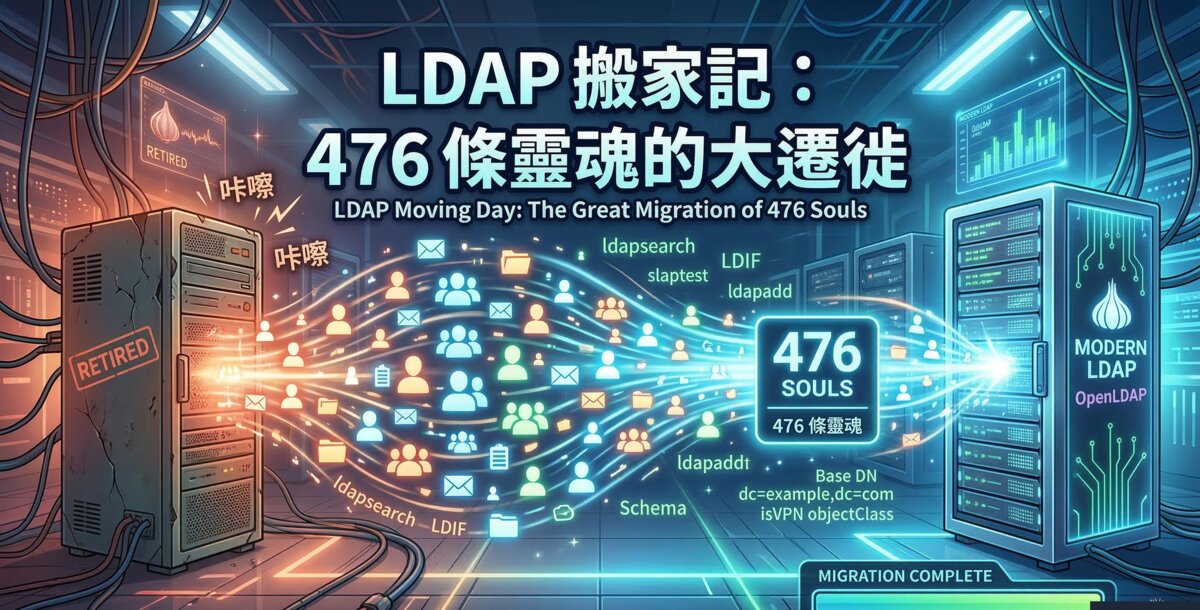
事情是這樣的:公司那台跑了不知道幾年的 LDAP 伺服器,終於發出了退休宣言。不是那種優雅的「我累了,讓年輕人上吧」,而是硬碟偶爾發出不祥的喀喀聲,彷彿在說:「再不搬,你們就等著一起陪葬。」
於是,一場涉及 476 條靈魂的大遷徙就此展開——398 個使用者帳號、27 個群組、46 個郵件別名、還有 4 個 OU。聽起來不多?等你真的開始搬,你就會發現 LDAP 這東西,專門在你覺得「應該很簡單吧」的時候給你致命一擊。
而且搬完家之後,你還得面對一個靈魂拷問:「萬一新家也掛了呢?」於是我們不只搬了家,還養了一個分身——Master-Slave 複寫。一個負責幹活,一個負責備胎。完美。
| 項目 | 值 |
|---|---|
| 來源伺服器(舊) | 192.168.1.100 |
| Master(新) | 192.168.1.200 |
| Slave(備援) | 192.168.1.201 |
| Base DN | dc=example,dc=com |
| Admin DN | cn=admin,dc=example,dc=com |
| OS | Ubuntu 24.04 LTS |
| LDAP | OpenLDAP (slapd) 2.6.10 |
| 總筆數 | 476 |
| 複寫模式 | refreshAndPersist(即時同步) |
上篇:搬家大作戰
第一步:打包行李(匯出資料)
搬家第一件事,當然是把舊家的東西全部打包。在 LDAP 的世界裡,這個打包工具叫做 ldapsearch,打包出來的箱子叫做 LDIF。
先確認新家有裝好基本設施:
# 確認 slapd 已安裝且運行中
dpkg -l slapd ldap-utils
systemctl status slapd

# 安裝 samba(等等要用到 samba.schema)
apt-get install -y samba
然後把舊伺服器的資料全部倒出來:
mkdir -p /home/admin/ldap-backup

ldapsearch -x -H ldap://192.168.1.100 \
  -D "cn=admin,dc=example,dc=com" \
  -w your_password \
  -b "dc=example,dc=com" \
  -LLL > /home/admin/ldap-backup/export.ldif

# 確認匯出結果
wc -l /home/admin/ldap-backup/export.ldif
grep -c "^dn:" /home/admin/ldap-backup/export.ldif
到這裡一切順利,你甚至會產生「這也沒什麼嘛」的錯覺。別急,好戲在後頭。
第二步:Schema 地獄三連擊
如果 LDAP 遷移是一場 RPG,那 schema 載入就是第一個 Boss 戰。而且這個 Boss 有三個型態。
第一擊:Samba Schema
因為目錄裡的使用者同時要跟 Windows/Samba 整合,所以需要載入 samba.schema。聽起來簡單?OpenLDAP 2.6 用的是 cn=config 動態設定,你不能直接丟 .schema 檔進去,得先用 slaptest 轉換成 LDIF 格式,再用一堆 sed 清理掉 metadata,最後才能 ldapadd 載入。
整個過程大概是這樣的心路歷程:「這應該一行指令就搞定吧」→「為什麼要轉換格式」→「為什麼還要 sed」→「為什麼 sed 完還是錯」→「啊,原來要清掉那些 timestamp」→「終於進去了,感動。」
# 複製 samba schema
cp /usr/share/doc/samba/examples/LDAP/samba.schema /etc/ldap/schema/

# 轉換成 cn=config LDIF 格式
mkdir -p /tmp/samba_schema_ldif
cat > /tmp/samba_schema.conf << 'EOF'
include /etc/ldap/schema/core.schema
include /etc/ldap/schema/cosine.schema
include /etc/ldap/schema/nis.schema
include /etc/ldap/schema/inetorgperson.schema
include /etc/ldap/schema/samba.schema
EOF

slaptest -f /tmp/samba_schema.conf -F /tmp/samba_schema_ldif

# 清理並載入
SCHEMA_FILE=$(ls /tmp/samba_schema_ldif/cn=config/cn=schema/ | grep samba)
sed -n '/^dn:/,$ p' /tmp/samba_schema_ldif/cn=config/cn=schema/$SCHEMA_FILE | \
  sed 's/dn: cn={[0-9]*}samba/dn: cn=samba,cn=schema,cn=config/' | \
  sed 's/cn: {[0-9]*}samba/cn: samba/' | \
  grep -vE "^(structuralObjectClass|entryUUID|creatorsName|createTimestamp|entryCSN|modifiersName|modifyTimestamp):" \
  > /tmp/samba_add.ldif

ldapadd -Y EXTERNAL -H ldapi:/// -f /tmp/samba_add.ldif
第二擊:Misc Schema
這個倒是出奇地簡單,因為 OpenLDAP 自帶了 LDIF 版本。一行搞定,難得的溫柔。
ldapadd -Y EXTERNAL -H ldapi:/// -f /etc/ldap/schema/misc.ldif第三擊:自訂 Schema(終極 Boss)
公司的 LDAP 目錄用了自訂的屬性和 objectClass——isVPN 控制 VPN 存取權限、maillist 做郵件群發列表、maildrop 做郵件轉發。這些東西 OpenLDAP 內建當然沒有,得自己寫 schema。
# Custom LDAP Schema

attributetype ( 1.3.6.1.4.1.99999.1.2
    NAME 'mailacceptinggeneralid'
    DESC 'Mail accepting general ID / mail alias name'
    EQUALITY caseIgnoreIA5Match
    SUBSTR caseIgnoreIA5SubstringsMatch
    SYNTAX 1.3.6.1.4.1.1466.115.121.1.26 )

attributetype ( 1.3.6.1.4.1.99999.1.3
    NAME 'maildrop'
    DESC 'Mail drop / forwarding address'
    EQUALITY caseIgnoreIA5Match
    SUBSTR caseIgnoreIA5SubstringsMatch
    SYNTAX 1.3.6.1.4.1.1466.115.121.1.26 )

attributetype ( 1.3.6.1.4.1.99999.1.1
    NAME 'isVPN'
    DESC 'VPN access flag (Y/N)'
    EQUALITY caseIgnoreMatch
    SYNTAX 1.3.6.1.4.1.1466.115.121.1.44
    SINGLE-VALUE )

objectclass ( 1.3.6.1.4.1.99999.2.2
    NAME 'myorgUser'
    DESC 'Custom user attributes'
    SUP top
    AUXILIARY
    MAY ( isVPN ) )

objectclass ( 1.3.6.1.4.1.99999.2.1
    NAME 'maillist'
    DESC 'Mail distribution list'
    SUP top
    STRUCTURAL
    MUST ( mailacceptinggeneralid )
    MAY ( maildrop $ description $ owner $ cn ) )
寫好 schema 之後,又要走一遍 slaptest → sed → ldapadd 的老路。恭喜你,你已經是 sed 大師了。
mkdir -p /tmp/myorg_schema_ldif
cat > /tmp/myorg_schema.conf << 'EOF'
include /etc/ldap/schema/core.schema
include /etc/ldap/schema/cosine.schema
include /etc/ldap/schema/nis.schema
include /etc/ldap/schema/inetorgperson.schema
include /etc/ldap/schema/myorg.schema
EOF

slaptest -f /tmp/myorg_schema.conf -F /tmp/myorg_schema_ldif

SCHEMA_FILE=$(ls /tmp/myorg_schema_ldif/cn=config/cn=schema/ | grep myorg)
sed -n '/^dn:/,$ p' /tmp/myorg_schema_ldif/cn=config/cn=schema/$SCHEMA_FILE | \
  sed 's/dn: cn={[0-9]*}myorg/dn: cn=myorg,cn=schema,cn=config/' | \
  sed 's/cn: {[0-9]*}myorg/cn: myorg/' | \
  grep -vE "^(structuralObjectClass|entryUUID|creatorsName|createTimestamp|entryCSN|modifiersName|modifyTimestamp):" \
  > /tmp/myorg_add.ldif

ldapadd -Y EXTERNAL -H ldapi:/// -f /tmp/myorg_add.ldif
第三步:換門牌號碼
新伺服器裝好 slapd 之後,預設的 suffix 是 dc=nodomain——是的,OpenLDAP 裝好之後預設自己是個「無名氏」。我們得把它改成正確的 Base DN,順便設定管理員帳號。
# 產生密碼雜湊
PWHASH=$(slappasswd -s your_password)

ldapmodify -Y EXTERNAL -H ldapi:/// << LDIF
dn: olcDatabase={1}mdb,cn=config
changetype: modify
replace: olcSuffix
olcSuffix: dc=example,dc=com
-
replace: olcRootDN
olcRootDN: cn=admin,dc=example,dc=com
-
replace: olcRootPW
olcRootPW: $PWHASH
LDIF
改完之後測試一下新身份能不能用:
ldapsearch -x -H ldapi:/// -D "cn=admin,dc=example,dc=com" -w your_password \
  -b "dc=example,dc=com" -s base
第四步:大遷徙開始
萬事俱備,可以開始把 476 條靈魂搬進新家了。用 ldapadd -c 匯入,-c 的意思是「遇到錯誤繼續跑」,因為你一定會遇到錯誤,這不是 if 的問題,是 when 的問題。
# 匯入所有資料(-c 遇錯繼續)
ldapadd -c -x -H ldapi:/// \
  -D "cn=admin,dc=example,dc=com" \
  -w your_password \
  -f /home/admin/ldap-backup/export.ldif \
  > /tmp/ldap_success.txt 2> /tmp/ldap_errors.txt

# 檢查結果
grep -c "adding" /tmp/ldap_success.txt
grep "^ldap_add:" /tmp/ldap_errors.txt | sort | uniq -c
跑完之後你會發現:大部分資料都進去了,但有一些使用者帶有 isVPN 屬性的會失敗。為什麼?因為 LDIF 裡面有 isVPN: Y 這個屬性,但沒有宣告對應的 myorgUser objectClass。LDAP 的邏輯是:「你要用這個屬性?先告訴我你是什麼物種。」
解法:用一段 Python 腳本把缺少的 objectClass 補上去,然後重新匯入失敗的那些。
python3 << 'PYEOF'
import re

with open('/home/admin/ldap-backup/export.ldif', 'r') as f:
    content = f.read()

entries = re.split(r'\n\n+', content.strip())
failed_entries = []

for entry in entries:
    if 'isVPN:' in entry:
        if 'objectClass: myorgUser' not in entry:
            entry = entry.replace('isVPN:', 'objectClass: myorgUser\nisVPN:')
        failed_entries.append(entry)

with open('/tmp/retry_isvpn.ldif', 'w') as f:
    f.write('\n\n'.join(failed_entries) + '\n')
print(f"Prepared {len(failed_entries)} entries")
PYEOF

ldapadd -c -x -H ldapi:/// -D "cn=admin,dc=example,dc=com" -w your_password \
  -f /tmp/retry_isvpn.ldif
第五步:驗收點名大會
搬完家,當然要清點一下有沒有少人。
# 新伺服器總數(應該是 476)
ldapsearch -x -H ldapi:/// -D "cn=admin,dc=example,dc=com" -w your_password \
  -b "dc=example,dc=com" -z 0 -LLL 2>&1 | grep -c "^dn:"

# 跟舊伺服器比對
ldapsearch -x -H ldap://192.168.1.100 -D "cn=admin,dc=example,dc=com" -w your_password \
  -b "dc=example,dc=com" -z 0 -LLL 2>&1 | grep -c "^dn:"

# 隨便抓一個使用者測試
ldapsearch -x -H ldapi:/// -D "cn=admin,dc=example,dc=com" -w your_password \
  -b "ou=users,dc=example,dc=com" "(uid=alice)" cn mail isVPN

# 測試使用者認證
ldapsearch -x -H ldapi:/// \
  -D "uid=alice,ou=users,dc=example,dc=com" \
  -w user_password \
  -b "uid=alice,ou=users,dc=example,dc=com" -s base
數字對上了?使用者能登入了?恭喜,476 條靈魂全部安全抵達新家。但先別急著開香檳——搬完家只是上半場,下半場才是真正的高潮。
下篇:養一個分身(Master-Slave 複寫)
搬完家之後,你會陷入一個存在主義危機:「要是這台新伺服器也掛了怎麼辦?」畢竟,你剛經歷過一次伺服器暴斃的恐懼,PTSD 還沒消退。
解決方案:養一個分身。在 OpenLDAP 的世界裡,這叫做 syncrepl——Master 負責接受所有寫入操作,Slave 即時同步一份完整副本。Master 掛了?Slave 秒接手。Master 沒掛?Slave 分擔讀取流量。怎麼看都是穩賺不賠的買賣。
第一步:準備 Slave 新兵
在 Slave 機器(192.168.1.201)上裝好 slapd,然後用 debconf 直接設好 Base DN,省得等等還要手動改:
# 安裝 slapd
DEBIAN_FRONTEND=noninteractive apt-get install -y slapd ldap-utils

# 用 debconf 預設好 Base DN
echo "slapd slapd/internal/generated_adminpw password your_password
slapd slapd/internal/adminpw password your_password
slapd slapd/password2 password your_password
slapd slapd/password1 password your_password
slapd slapd/domain string example.com
slapd shared/organization string example
slapd slapd/backend select MDB
slapd slapd/purge_database boolean true
slapd slapd/move_old_database boolean true
slapd slapd/allow_ldap_v2 boolean false
slapd slapd/no_configuration boolean false" | debconf-set-selections

DEBIAN_FRONTEND=noninteractive dpkg-reconfigure slapd
第二步:同步 Schema(重要!)
這裡有一個超級大坑:Slave 的 schema 必須跟 Master 完全一致。如果 Master 有 samba、misc、自訂 schema,Slave 也必須在設定複寫之前就先載入。不然複寫啟動時,Master 推了一筆帶有 sambaSamAccount 的資料過來,Slave 一臉問號:「這什麼物種?我不認識。」然後整個複寫就炸了。
# 把 schema LDIF 複製到 Slave,然後載入
ldapadd -Y EXTERNAL -H ldapi:/// -f /home/admin/samba_schema.ldif
ldapadd -Y EXTERNAL -H ldapi:/// -f /home/admin/misc_schema.ldif
ldapadd -Y EXTERNAL -H ldapi:/// -f /home/admin/myorg_schema.ldif
(這三個 LDIF 檔就是上篇 Schema 地獄裡產出的那些成品。建議搬家完就把它們存好,別問我為什麼知道。)
第三步:設定 syncrepl(Slave 端)
重頭戲來了。在 Slave 上設定 syncrepl,告訴它:「你的主人在 192.168.1.200,有事沒事就跟它同步。」
dn: olcDatabase={1}mdb,cn=config
changetype: modify
add: olcSyncRepl
olcSyncRepl: rid=001
  provider=ldap://192.168.1.200
  bindmethod=simple
  binddn="cn=admin,dc=example,dc=com"
  credentials=your_password
  searchbase="dc=example,dc=com"
  scope=sub
  attrs="*,+"
  type=refreshAndPersist
  retry="5 5 300 +"
  interval=00:00:05:00
-
add: olcUpdateRef
olcUpdateRef: ldap://192.168.1.200
把上面存成 /tmp/syncrepl.ldif,然後套用:
ldapmodify -Y EXTERNAL -H ldapi:/// -f /tmp/syncrepl.ldif
systemctl restart slapd
systemctl enable slapd
幾個重點解釋一下:
refreshAndPersist:不是定時輪詢,而是 Master 一有變更就即時推送。比refreshOnly更即時。retry="5 5 300 +":斷線後先每 5 秒重試 5 次,之後每 300 秒重試,永不放棄。跟你追 deadline 一樣。olcUpdateRef:如果有人手賤直接對 Slave 做寫入操作,Slave 會優雅地把請求轉介給 Master。「這事不歸我管,找我老大。」
第四步:啟用 Master 的推送能力
光是 Slave 單方面想同步沒用,Master 也得開啟 syncprov overlay,才能真正推送變更。這就像訂閱 YouTube 頻道——你按了訂閱,但頻道主沒開啟通知功能,你也收不到更新。
回到 Master(192.168.1.200)執行:
# 載入 syncprov module
ldapmodify -Y EXTERNAL -H ldapi:/// << 'EOF'
dn: cn=module{0},cn=config
changetype: modify
add: olcModuleLoad
olcModuleLoad: syncprov
EOF

# 掛載 syncprov overlay 到資料庫
ldapmodify -Y EXTERNAL -H ldapi:/// << 'EOF'
dn: olcOverlay=syncprov,olcDatabase={1}mdb,cn=config
changetype: add
objectClass: olcOverlayConfig
objectClass: olcSyncProvConfig
olcOverlay: syncprov
olcSpCheckpoint: 100 10
olcSpSessionLog: 100
EOF
olcSpCheckpoint: 100 10 表示每 100 次操作或 10 分鐘寫一次 checkpoint。olcSpSessionLog: 100 保留最近 100 筆操作記錄供 Slave 做增量同步,不用每次都全量複寫。
第五步:驗證分身術是否成功
# Slave 資料筆數
ldapsearch -x -H ldap://192.168.1.201 -b "dc=example,dc=com" \
  "(objectClass=*)" dn | grep "^dn:" | wc -l

# Master 資料筆數
ldapsearch -x -H ldap://192.168.1.200 -D "cn=admin,dc=example,dc=com" -w your_password \
  -b "dc=example,dc=com" "(objectClass=*)" dn | grep "^dn:" | wc -l
兩個數字一樣?恭喜,分身術成功。你現在有兩台 LDAP,一台掛了另一台還活著。夜晚終於可以安心入睡了。
踩坑寶典:常見錯誤排查
| 錯誤訊息 | 原因 | 解法 |
|---|---|---|
got search entry without Sync State control | Master 沒裝 syncprov | 在 Master 執行載入 syncprov 的步驟 |
normalization failed (21) | Slave 缺少對應 schema | 匯入所需 schema 後重啟 slapd |
Invalid credentials (49) | 複寫帳號密碼錯誤 | 確認 binddn / credentials 設定 |
Can't contact LDAP server | 網路不通或 Master 沒啟動 | 檢查防火牆與服務狀態 |
如果資料真的亂到不行,還有最後手段——砍掉 Slave 資料庫重新全量複寫(慎用):
# 核彈選項:強制重新全量複寫
systemctl stop slapd
rm -f /var/lib/ldap/*.mdb
systemctl start slapd
結語:LDAP 搬家 + 養分身生存指南
回顧這場從搬家到養分身的完整戰役,有幾個血淚教訓:
- Schema 要先搞定——不管是搬家還是建 Slave,schema 永遠是第一關。少一個 objectClass,LDAP 就會像海關一樣把你的資料擋在門外。
slaptest+sed是你的好朋友——把.schema轉成cn=config格式的標準管線。背下來,以後你會常用到。而且,做好的 LDIF 要存起來,Slave 還要再用一次。- 自訂屬性要配 objectClass——有 attribute 就要有 objectClass 宣告,不然 LDAP 不認帳。
ldapadd -c是必須的——讓匯入遇錯繼續跑,事後再處理失敗項目,比一個錯就全停好太多。- Slave 的 schema 必須跟 Master 一致——先裝 schema,再設定 syncrepl。順序反了,你會看到一堆
normalization failed,然後懷疑人生。 refreshAndPersist比refreshOnly好——即時推送,不用等輪詢。2026 年了,別再用定時同步了。
最後的最後,搬完家記得把舊伺服器的硬碟好好退役。那些喀喀聲,可不是在跟你開玩笑的。
English
Prologue: The Old Server's Ultimatum
Here's the thing: the LDAP server that had been running since roughly the Jurassic period finally issued its resignation. Not the graceful "I've served well, time to pass the torch" kind — more like the hard drive occasionally making clicking noises that roughly translate to "move your data or lose it forever."
And so began the great migration of 476 souls — 398 user accounts, 27 groups, 46 mail aliases, and 4 OUs. Sounds manageable? That's exactly the kind of dangerous optimism LDAP loves to punish.
And after the move, you're hit with an existential question: "What if the new server also dies?" So we didn't just move — we cloned it. Master-Slave replication. One does the work, the other stands by. Perfection.
| Item | Value |
|---|---|
| Source Server (old) | 192.168.1.100 |
| Master (new) | 192.168.1.200 |
| Slave (standby) | 192.168.1.201 |
| Base DN | dc=example,dc=com |
| Admin DN | cn=admin,dc=example,dc=com |
| OS | Ubuntu 24.04 LTS |
| LDAP | OpenLDAP (slapd) 2.6.10 |
| Total Entries | 476 |
| Replication Mode | refreshAndPersist (real-time sync) |
Part I: The Great Move
Step 1: Packing the Boxes (Data Export)
First things first: pack up everything from the old place. In LDAP-land, your moving truck is ldapsearch and the boxes are called LDIF files.
Make sure the new server has the basics installed:
# Verify slapd is installed and running
dpkg -l slapd ldap-utils
systemctl status slapd

# Install samba (we'll need samba.schema later)
apt-get install -y samba
Then dump everything from the source:
mkdir -p /home/admin/ldap-backup

ldapsearch -x -H ldap://192.168.1.100 \
  -D "cn=admin,dc=example,dc=com" \
  -w your_password \
  -b "dc=example,dc=com" \
  -LLL > /home/admin/ldap-backup/export.ldif

# Verify the export
wc -l /home/admin/ldap-backup/export.ldif
grep -c "^dn:" /home/admin/ldap-backup/export.ldif
So far so good. You might even be thinking "this isn't so bad." Give it a minute.
Step 2: Schema Hell — The Triple Boss Fight
If LDAP migration were an RPG, loading schemas would be the first boss. And this boss has three phases.
Phase 1: Samba Schema
Because our users also need Samba/Windows integration, we need the samba schema loaded. Simple, right? Except OpenLDAP 2.6 uses cn=config for dynamic configuration, so you can't just drop a .schema file in place. Instead, you need to convert it to LDIF format with slaptest, scrub the metadata with a chain of sed commands, and finally ldapadd it in. Because nothing says "fun Friday" like five piped sed commands.
# Copy samba schema
cp /usr/share/doc/samba/examples/LDAP/samba.schema /etc/ldap/schema/

# Convert to cn=config LDIF format
mkdir -p /tmp/samba_schema_ldif
cat > /tmp/samba_schema.conf << 'EOF'
include /etc/ldap/schema/core.schema
include /etc/ldap/schema/cosine.schema
include /etc/ldap/schema/nis.schema
include /etc/ldap/schema/inetorgperson.schema
include /etc/ldap/schema/samba.schema
EOF

slaptest -f /tmp/samba_schema.conf -F /tmp/samba_schema_ldif

# Clean up and load
SCHEMA_FILE=$(ls /tmp/samba_schema_ldif/cn=config/cn=schema/ | grep samba)
sed -n '/^dn:/,$ p' /tmp/samba_schema_ldif/cn=config/cn=schema/$SCHEMA_FILE | \
  sed 's/dn: cn={[0-9]*}samba/dn: cn=samba,cn=schema,cn=config/' | \
  sed 's/cn: {[0-9]*}samba/cn: samba/' | \
  grep -vE "^(structuralObjectClass|entryUUID|creatorsName|createTimestamp|entryCSN|modifiersName|modifyTimestamp):" \
  > /tmp/samba_add.ldif

ldapadd -Y EXTERNAL -H ldapi:/// -f /tmp/samba_add.ldif
Phase 2: Misc Schema
This one is surprisingly painless. OpenLDAP ships a pre-built LDIF version. One line. Enjoy this rare moment of mercy.
ldapadd -Y EXTERNAL -H ldapi:/// -f /etc/ldap/schema/misc.ldifPhase 3: Custom Schema (Final Boss)
Our directory uses custom attributes — isVPN for VPN access control, maillist for distribution lists, maildrop for mail forwarding. These don't exist in any standard schema, so we get to write our own.
# Custom LDAP Schema

attributetype ( 1.3.6.1.4.1.99999.1.2
    NAME 'mailacceptinggeneralid'
    DESC 'Mail accepting general ID / mail alias name'
    EQUALITY caseIgnoreIA5Match
    SUBSTR caseIgnoreIA5SubstringsMatch
    SYNTAX 1.3.6.1.4.1.1466.115.121.1.26 )

attributetype ( 1.3.6.1.4.1.99999.1.3
    NAME 'maildrop'
    DESC 'Mail drop / forwarding address'
    EQUALITY caseIgnoreIA5Match
    SUBSTR caseIgnoreIA5SubstringsMatch
    SYNTAX 1.3.6.1.4.1.1466.115.121.1.26 )

attributetype ( 1.3.6.1.4.1.99999.1.1
    NAME 'isVPN'
    DESC 'VPN access flag (Y/N)'
    EQUALITY caseIgnoreMatch
    SYNTAX 1.3.6.1.4.1.1466.115.121.1.44
    SINGLE-VALUE )

objectclass ( 1.3.6.1.4.1.99999.2.2
    NAME 'myorgUser'
    DESC 'Custom user attributes'
    SUP top
    AUXILIARY
    MAY ( isVPN ) )

objectclass ( 1.3.6.1.4.1.99999.2.1
    NAME 'maillist'
    DESC 'Mail distribution list'
    SUP top
    STRUCTURAL
    MUST ( mailacceptinggeneralid )
    MAY ( maildrop $ description $ owner $ cn ) )
Once the schema file is written, it's the same slaptest → sed → ldapadd dance. Congratulations, you're now a sed expert.
mkdir -p /tmp/myorg_schema_ldif
cat > /tmp/myorg_schema.conf << 'EOF'
include /etc/ldap/schema/core.schema
include /etc/ldap/schema/cosine.schema
include /etc/ldap/schema/nis.schema
include /etc/ldap/schema/inetorgperson.schema
include /etc/ldap/schema/myorg.schema
EOF

slaptest -f /tmp/myorg_schema.conf -F /tmp/myorg_schema_ldif

SCHEMA_FILE=$(ls /tmp/myorg_schema_ldif/cn=config/cn=schema/ | grep myorg)
sed -n '/^dn:/,$ p' /tmp/myorg_schema_ldif/cn=config/cn=schema/$SCHEMA_FILE | \
  sed 's/dn: cn={[0-9]*}myorg/dn: cn=myorg,cn=schema,cn=config/' | \
  sed 's/cn: {[0-9]*}myorg/cn: myorg/' | \
  grep -vE "^(structuralObjectClass|entryUUID|creatorsName|createTimestamp|entryCSN|modifiersName|modifyTimestamp):" \
  > /tmp/myorg_add.ldif

ldapadd -Y EXTERNAL -H ldapi:/// -f /tmp/myorg_add.ldif
Step 3: Changing the Address
Fresh slapd installs default to dc=nodomain — yes, OpenLDAP literally starts life as a "John Doe." We need to give it a proper identity and set the admin credentials.
# Generate password hash
PWHASH=$(slappasswd -s your_password)

ldapmodify -Y EXTERNAL -H ldapi:/// << LDIF
dn: olcDatabase={1}mdb,cn=config
changetype: modify
replace: olcSuffix
olcSuffix: dc=example,dc=com
-
replace: olcRootDN
olcRootDN: cn=admin,dc=example,dc=com
-
replace: olcRootPW
olcRootPW: $PWHASH
LDIF
Quick sanity check:
ldapsearch -x -H ldapi:/// -D "cn=admin,dc=example,dc=com" -w your_password \
  -b "dc=example,dc=com" -s base
Step 4: The Great Migration
All systems go. Time to move 476 souls into their new home. The -c flag on ldapadd means "keep going when you hit errors" — and you will hit errors. It's not a question of if, it's when.
# Import all entries (-c = continue on errors)
ldapadd -c -x -H ldapi:/// \
  -D "cn=admin,dc=example,dc=com" \
  -w your_password \
  -f /home/admin/ldap-backup/export.ldif \
  > /tmp/ldap_success.txt 2> /tmp/ldap_errors.txt

# Check results
grep -c "adding" /tmp/ldap_success.txt
grep "^ldap_add:" /tmp/ldap_errors.txt | sort | uniq -c
After the import, you'll notice some users with the isVPN attribute failed. Why? Because the LDIF has isVPN: Y but doesn't declare the myorgUser objectClass. LDAP's logic is basically: "You want to use that attribute? First tell me what species you are."
The fix: a Python script to inject the missing objectClass, then re-import the failures.
python3 << 'PYEOF'
import re

with open('/home/admin/ldap-backup/export.ldif', 'r') as f:
    content = f.read()

entries = re.split(r'\n\n+', content.strip())
failed_entries = []

for entry in entries:
    if 'isVPN:' in entry:
        if 'objectClass: myorgUser' not in entry:
            entry = entry.replace('isVPN:', 'objectClass: myorgUser\nisVPN:')
        failed_entries.append(entry)

with open('/tmp/retry_isvpn.ldif', 'w') as f:
    f.write('\n\n'.join(failed_entries) + '\n')
print(f"Prepared {len(failed_entries)} entries")
PYEOF

ldapadd -c -x -H ldapi:/// -D "cn=admin,dc=example,dc=com" -w your_password \
  -f /tmp/retry_isvpn.ldif
Step 5: Roll Call
After the move, it's time to count heads.
# Total entry count on new server (should be 476)
ldapsearch -x -H ldapi:/// -D "cn=admin,dc=example,dc=com" -w your_password \
  -b "dc=example,dc=com" -z 0 -LLL 2>&1 | grep -c "^dn:"

# Compare with source
ldapsearch -x -H ldap://192.168.1.100 -D "cn=admin,dc=example,dc=com" -w your_password \
  -b "dc=example,dc=com" -z 0 -LLL 2>&1 | grep -c "^dn:"

# Test a user lookup
ldapsearch -x -H ldapi:/// -D "cn=admin,dc=example,dc=com" -w your_password \
  -b "ou=users,dc=example,dc=com" "(uid=alice)" cn mail isVPN

# Test user authentication
ldapsearch -x -H ldapi:/// \
  -D "uid=alice,ou=users,dc=example,dc=com" \
  -w user_password \
  -b "uid=alice,ou=users,dc=example,dc=com" -s base
Numbers match? Users can log in? Great — but don't pop the champagne yet. The move was only the first half. The real fun is just starting.
Part II: The Clone (Master-Slave Replication)
After moving, you'll face an existential crisis: "What if this new server also dies?" After all, you just lived through one server death and the PTSD hasn't faded yet.
The solution: clone it. In OpenLDAP terms, this is called syncrepl — the Master handles all writes, the Slave keeps a real-time copy. Master goes down? Slave takes over. Master stays up? Slave handles read traffic. It's a win-win.
Step 1: Boot Up the Slave
On the Slave machine (192.168.1.201), install slapd and preconfigure the Base DN via debconf:
# Install slapd
DEBIAN_FRONTEND=noninteractive apt-get install -y slapd ldap-utils

# Preconfigure Base DN via debconf
echo "slapd slapd/internal/generated_adminpw password your_password
slapd slapd/internal/adminpw password your_password
slapd slapd/password2 password your_password
slapd slapd/password1 password your_password
slapd slapd/domain string example.com
slapd shared/organization string example
slapd slapd/backend select MDB
slapd slapd/purge_database boolean true
slapd slapd/move_old_database boolean true
slapd slapd/allow_ldap_v2 boolean false
slapd slapd/no_configuration boolean false" | debconf-set-selections

DEBIAN_FRONTEND=noninteractive dpkg-reconfigure slapd
Step 2: Sync the Schemas (Critical!)
Here's the biggest gotcha: the Slave's schemas must exactly match the Master's. If the Master has samba, misc, and custom schemas, the Slave needs all of them loaded before you configure replication. Otherwise, when the Master pushes an entry with sambaSamAccount, the Slave goes: "What species is this? Never heard of it." And the whole replication explodes.
# Copy schema LDIFs to the Slave and load them
ldapadd -Y EXTERNAL -H ldapi:/// -f /home/admin/samba_schema.ldif
ldapadd -Y EXTERNAL -H ldapi:/// -f /home/admin/misc_schema.ldif
ldapadd -Y EXTERNAL -H ldapi:/// -f /home/admin/myorg_schema.ldif
(These are the LDIF files produced during the Schema Hell section above. Save them after the migration. Don't ask how I learned this lesson.)
Step 3: Configure syncrepl (Slave Side)
The main event. Tell the Slave: "Your master lives at 192.168.1.200 — stay in sync with it at all times."
dn: olcDatabase={1}mdb,cn=config
changetype: modify
add: olcSyncRepl
olcSyncRepl: rid=001
  provider=ldap://192.168.1.200
  bindmethod=simple
  binddn="cn=admin,dc=example,dc=com"
  credentials=your_password
  searchbase="dc=example,dc=com"
  scope=sub
  attrs="*,+"
  type=refreshAndPersist
  retry="5 5 300 +"
  interval=00:00:05:00
-
add: olcUpdateRef
olcUpdateRef: ldap://192.168.1.200
Save it as /tmp/syncrepl.ldif and apply:
ldapmodify -Y EXTERNAL -H ldapi:/// -f /tmp/syncrepl.ldif
systemctl restart slapd
systemctl enable slapd
Key points:
refreshAndPersist: Real-time push from Master, not periodic polling. Way better thanrefreshOnly.retry="5 5 300 +": On disconnect, retry every 5 seconds (5 times), then every 300 seconds, forever. Like you chasing a deadline.olcUpdateRef: If someone accidentally writes to the Slave, it politely redirects to the Master. "Not my department — talk to my boss."
Step 4: Enable Push on the Master
The Slave wanting to sync isn't enough — the Master also needs to enable the syncprov overlay. Think of it like subscribing to a YouTube channel: you hit subscribe, but if the creator hasn't enabled notifications, you won't get updates.
On the Master (192.168.1.200):
# Load syncprov module
ldapmodify -Y EXTERNAL -H ldapi:/// << 'EOF'
dn: cn=module{0},cn=config
changetype: modify
add: olcModuleLoad
olcModuleLoad: syncprov
EOF

# Attach syncprov overlay to the database
ldapmodify -Y EXTERNAL -H ldapi:/// << 'EOF'
dn: olcOverlay=syncprov,olcDatabase={1}mdb,cn=config
changetype: add
objectClass: olcOverlayConfig
objectClass: olcSyncProvConfig
olcOverlay: syncprov
olcSpCheckpoint: 100 10
olcSpSessionLog: 100
EOF
olcSpCheckpoint: 100 10 writes a checkpoint every 100 operations or 10 minutes. olcSpSessionLog: 100 keeps the last 100 operations so the Slave can do incremental sync instead of full reloads.
Step 5: Verify the Clone
# Slave entry count
ldapsearch -x -H ldap://192.168.1.201 -b "dc=example,dc=com" \
  "(objectClass=*)" dn | grep "^dn:" | wc -l

# Master entry count
ldapsearch -x -H ldap://192.168.1.200 -D "cn=admin,dc=example,dc=com" -w your_password \
  -b "dc=example,dc=com" "(objectClass=*)" dn | grep "^dn:" | wc -l
Same numbers? Congratulations — clone successful. You now have two LDAP servers. If one dies, the other lives. Sweet dreams tonight.
Troubleshooting Cheat Sheet
| Error | Cause | Fix |
|---|---|---|
got search entry without Sync State control | Master doesn't have syncprov | Load syncprov on Master |
normalization failed (21) | Slave is missing schemas | Import schemas, restart slapd |
Invalid credentials (49) | Wrong replication credentials | Check binddn / credentials |
Can't contact LDAP server | Network or Master not running | Check firewall and service status |
If things are truly beyond repair, there's always the nuclear option — wipe the Slave database and let it re-sync from scratch (use with caution):
# Nuclear option: force full re-sync
systemctl stop slapd
rm -f /var/lib/ldap/*.mdb
systemctl start slapd
Lessons Learned
- Schemas first, data second — Whether migrating or building a Slave, schemas are always gate one. Miss one objectClass and LDAP will reject your entries like a bouncer checking IDs.
slaptest+sedis your best friend — The standard pipeline for converting.schemafiles tocn=configformat. Memorize it. And save the resulting LDIFs — the Slave will need them too.- Custom attributes need objectClasses — Having an attribute without declaring its objectClass is like trying to board a plane without a passport.
ldapadd -cis non-negotiable — Let the import continue on errors, then fix failures afterward. Much better than one error killing the entire job.- Slave schemas must match the Master — Load schemas first, then configure syncrepl. Reverse the order and you'll see
normalization failedeverywhere and question your life choices. refreshAndPersistbeatsrefreshOnly— Real-time push, no polling delay. It's 2026 — don't use cron-style sync.
And one last thing: after the migration, properly decommission that old server. Those clicking hard drive noises? They weren't joking.
日本語
序章:旧サーバーからの最後通告
何年動いてるか誰も正確に覚えていない LDAP サーバーが、ついに引退宣言を出しました。「もう限界です、お疲れ様でした」みたいな上品な引退じゃなくて、ハードディスクがたまにカチカチ音を立てる系のやつです。要するに「早く引っ越さないと全員道連れだからね」という脅迫。
こうして 476 人の魂の大移動が始まりました——ユーザーアカウント 398 件、グループ 27 件、メールエイリアス 46 件、OU が 4 つ。「まあ、大した量じゃないでしょ」って思いました?それ、LDAP が一番好きなフラグですよ。
さらに引っ越し後、ある存在的危機に直面します:「新しいサーバーも死んだらどうする?」というわけで、引っ越しだけじゃなく、分身も作りました——Master-Slave レプリケーション。片方が働いて、もう片方がバックアップ。完璧。
| 項目 | 値 |
|---|---|
| 移行元(旧) | 192.168.1.100 |
| Master(新) | 192.168.1.200 |
| Slave(待機) | 192.168.1.201 |
| Base DN | dc=example,dc=com |
| Admin DN | cn=admin,dc=example,dc=com |
| OS | Ubuntu 24.04 LTS |
| LDAP | OpenLDAP (slapd) 2.6.10 |
| 総エントリ数 | 476 |
| レプリケーション | refreshAndPersist(リアルタイム同期) |
前編:引っ越し大作戦
ステップ1:荷造り(データエクスポート)
引っ越しの第一歩は荷造り。LDAP の世界では、ldapsearch が引っ越し業者で、LDIF ファイルがダンボール箱です。
まず新居に基本設備があるか確認:
# slapd がインストール済みで動いてるか確認
dpkg -l slapd ldap-utils
systemctl status slapd

# samba をインストール(samba.schema が後で必要)
apt-get install -y samba
旧サーバーのデータを全部ダンプ:
mkdir -p /home/admin/ldap-backup

ldapsearch -x -H ldap://192.168.1.100 \
  -D "cn=admin,dc=example,dc=com" \
  -w your_password \
  -b "dc=example,dc=com" \
  -LLL > /home/admin/ldap-backup/export.ldif

# エクスポート結果を確認
wc -l /home/admin/ldap-backup/export.ldif
grep -c "^dn:" /home/admin/ldap-backup/export.ldif
ここまでは順調。「なんだ、簡単じゃん」って思うでしょ。その油断が命取りです。
ステップ2:地獄のスキーマ三連戦
LDAP 移行が RPG だとしたら、スキーマのロードは最初のボス戦です。しかもこのボス、三段変身します。
第一形態:Samba スキーマ
ディレクトリのユーザーは Samba/Windows 連携も必要なので、samba.schema をロードする必要があります。簡単そう?ところが OpenLDAP 2.6 は cn=config 動的設定を使うので、.schema ファイルをそのまま放り込めません。slaptest で LDIF 形式に変換して、sed でメタデータを削って、やっと ldapadd できる。楽しいですね(白目)。
# samba schema をコピー
cp /usr/share/doc/samba/examples/LDAP/samba.schema /etc/ldap/schema/

# cn=config LDIF 形式に変換
mkdir -p /tmp/samba_schema_ldif
cat > /tmp/samba_schema.conf << 'EOF'
include /etc/ldap/schema/core.schema
include /etc/ldap/schema/cosine.schema
include /etc/ldap/schema/nis.schema
include /etc/ldap/schema/inetorgperson.schema
include /etc/ldap/schema/samba.schema
EOF

slaptest -f /tmp/samba_schema.conf -F /tmp/samba_schema_ldif

# クリーンアップして読み込み
SCHEMA_FILE=$(ls /tmp/samba_schema_ldif/cn=config/cn=schema/ | grep samba)
sed -n '/^dn:/,$ p' /tmp/samba_schema_ldif/cn=config/cn=schema/$SCHEMA_FILE | \
  sed 's/dn: cn={[0-9]*}samba/dn: cn=samba,cn=schema,cn=config/' | \
  sed 's/cn: {[0-9]*}samba/cn: samba/' | \
  grep -vE "^(structuralObjectClass|entryUUID|creatorsName|createTimestamp|entryCSN|modifiersName|modifyTimestamp):" \
  > /tmp/samba_add.ldif

ldapadd -Y EXTERNAL -H ldapi:/// -f /tmp/samba_add.ldif
第二形態:Misc スキーマ
これは意外と簡単。OpenLDAP が LDIF 版を同梱してくれてます。一行で終わり。束の間の優しさ。
ldapadd -Y EXTERNAL -H ldapi:/// -f /etc/ldap/schema/misc.ldif第三形態:カスタムスキーマ(ラスボス)
うちのディレクトリはカスタム属性を使ってます——isVPN で VPN アクセス制御、maillist でメーリングリスト、maildrop でメール転送。標準スキーマにはないので、自分で書くしかない。
# Custom LDAP Schema

attributetype ( 1.3.6.1.4.1.99999.1.2
    NAME 'mailacceptinggeneralid'
    DESC 'Mail accepting general ID / mail alias name'
    EQUALITY caseIgnoreIA5Match
    SUBSTR caseIgnoreIA5SubstringsMatch
    SYNTAX 1.3.6.1.4.1.1466.115.121.1.26 )

attributetype ( 1.3.6.1.4.1.99999.1.3
    NAME 'maildrop'
    DESC 'Mail drop / forwarding address'
    EQUALITY caseIgnoreIA5Match
    SUBSTR caseIgnoreIA5SubstringsMatch
    SYNTAX 1.3.6.1.4.1.1466.115.121.1.26 )

attributetype ( 1.3.6.1.4.1.99999.1.1
    NAME 'isVPN'
    DESC 'VPN access flag (Y/N)'
    EQUALITY caseIgnoreMatch
    SYNTAX 1.3.6.1.4.1.1466.115.121.1.44
    SINGLE-VALUE )

objectclass ( 1.3.6.1.4.1.99999.2.2
    NAME 'myorgUser'
    DESC 'Custom user attributes'
    SUP top
    AUXILIARY
    MAY ( isVPN ) )

objectclass ( 1.3.6.1.4.1.99999.2.1
    NAME 'maillist'
    DESC 'Mail distribution list'
    SUP top
    STRUCTURAL
    MUST ( mailacceptinggeneralid )
    MAY ( maildrop $ description $ owner $ cn ) )
スキーマファイルを書いたら、またあの slaptest → sed → ldapadd のコンボです。おめでとうございます、あなたはもう sed マスターです。
mkdir -p /tmp/myorg_schema_ldif
cat > /tmp/myorg_schema.conf << 'EOF'
include /etc/ldap/schema/core.schema
include /etc/ldap/schema/cosine.schema
include /etc/ldap/schema/nis.schema
include /etc/ldap/schema/inetorgperson.schema
include /etc/ldap/schema/myorg.schema
EOF

slaptest -f /tmp/myorg_schema.conf -F /tmp/myorg_schema_ldif

SCHEMA_FILE=$(ls /tmp/myorg_schema_ldif/cn=config/cn=schema/ | grep myorg)
sed -n '/^dn:/,$ p' /tmp/myorg_schema_ldif/cn=config/cn=schema/$SCHEMA_FILE | \
  sed 's/dn: cn={[0-9]*}myorg/dn: cn=myorg,cn=schema,cn=config/' | \
  sed 's/cn: {[0-9]*}myorg/cn: myorg/' | \
  grep -vE "^(structuralObjectClass|entryUUID|creatorsName|createTimestamp|entryCSN|modifiersName|modifyTimestamp):" \
  > /tmp/myorg_add.ldif

ldapadd -Y EXTERNAL -H ldapi:/// -f /tmp/myorg_add.ldif
ステップ3:表札の付け替え
slapd をインストールしたての状態だと、デフォルトの suffix は dc=nodomain です。そう、OpenLDAP は生まれた時点では「名無しさん」。ちゃんとした Base DN に変更して、管理者アカウントも設定します。
# パスワードハッシュを生成
PWHASH=$(slappasswd -s your_password)

ldapmodify -Y EXTERNAL -H ldapi:/// << LDIF
dn: olcDatabase={1}mdb,cn=config
changetype: modify
replace: olcSuffix
olcSuffix: dc=example,dc=com
-
replace: olcRootDN
olcRootDN: cn=admin,dc=example,dc=com
-
replace: olcRootPW
olcRootPW: $PWHASH
LDIF
変更後、新しい認証情報でテスト:
ldapsearch -x -H ldapi:/// -D "cn=admin,dc=example,dc=com" -w your_password \
  -b "dc=example,dc=com" -s base
ステップ4:大移動開始
準備完了。476 人の魂を新居にお引っ越し。ldapadd -c の -c は「エラーが出ても続行」の意味です。エラーは出ます。if じゃなくて when の問題。
# 全エントリをインポート(-c = エラー時も続行)
ldapadd -c -x -H ldapi:/// \
  -D "cn=admin,dc=example,dc=com" \
  -w your_password \
  -f /home/admin/ldap-backup/export.ldif \
  > /tmp/ldap_success.txt 2> /tmp/ldap_errors.txt

# 結果を確認
grep -c "adding" /tmp/ldap_success.txt
grep "^ldap_add:" /tmp/ldap_errors.txt | sort | uniq -c実行後、isVPN 属性を持つユーザーの一部が失敗しているのに気づくでしょう。なぜか?LDIF に isVPN: Y があるのに、対応する myorgUser objectClass が宣言されていないから。LDAP の言い分:「その属性を使いたい?まず自分が何者か名乗りなさい。」
解決策:Python スクリプトで足りない objectClass を補完して、失敗分を再インポート。
python3 << 'PYEOF'
import re

with open('/home/admin/ldap-backup/export.ldif', 'r') as f:
    content = f.read()

entries = re.split(r'\n\n+', content.strip())
failed_entries = []

for entry in entries:
    if 'isVPN:' in entry:
        if 'objectClass: myorgUser' not in entry:
            entry = entry.replace('isVPN:', 'objectClass: myorgUser\nisVPN:')
        failed_entries.append(entry)

with open('/tmp/retry_isvpn.ldif', 'w') as f:
    f.write('\n\n'.join(failed_entries) + '\n')
print(f"Prepared {len(failed_entries)} entries")
PYEOF

ldapadd -c -x -H ldapi:/// -D "cn=admin,dc=example,dc=com" -w your_password \
  -f /tmp/retry_isvpn.ldif
ステップ5:点呼
引っ越し完了。全員ちゃんと着いたか確認しましょう。
# 新サーバーの総数(476 のはず)
ldapsearch -x -H ldapi:/// -D "cn=admin,dc=example,dc=com" -w your_password \
  -b "dc=example,dc=com" -z 0 -LLL 2>&1 | grep -c "^dn:"

# 旧サーバーと比較
ldapsearch -x -H ldap://192.168.1.100 -D "cn=admin,dc=example,dc=com" -w your_password \
  -b "dc=example,dc=com" -z 0 -LLL 2>&1 | grep -c "^dn:"

# ユーザー検索テスト
ldapsearch -x -H ldapi:/// -D "cn=admin,dc=example,dc=com" -w your_password \
  -b "ou=users,dc=example,dc=com" "(uid=alice)" cn mail isVPN

# ユーザー認証テスト
ldapsearch -x -H ldapi:/// \
  -D "uid=alice,ou=users,dc=example,dc=com" \
  -w user_password \
  -b "uid=alice,ou=users,dc=example,dc=com" -s base
数が合った?ログインできた?よかった——でもシャンパンはまだ早い。引っ越しは前半戦に過ぎません。本番はこれからです。
後編:分身の術(Master-Slave レプリケーション)
引っ越し後、ある存在的危機に陥ります:「この新しいサーバーも死んだらどうしよう?」さっきサーバー死亡を体験したばかりで、PTSD がまだ抜けてないですからね。
解決策:分身を作る。OpenLDAP の世界では syncrepl と呼ばれます——Master が全ての書き込みを受け付けて、Slave がリアルタイムで完全コピーを保持。Master が落ちたら?Slave が即座に引き継ぎ。Master が元気なら?Slave が読み取りトラフィックを分担。どう考えても得しかない。
ステップ1:Slave の準備
Slave マシン(192.168.1.201)に slapd をインストールして、debconf で Base DN を事前設定:
# slapd をインストール
DEBIAN_FRONTEND=noninteractive apt-get install -y slapd ldap-utils

# debconf で Base DN を事前設定
echo "slapd slapd/internal/generated_adminpw password your_password
slapd slapd/internal/adminpw password your_password
slapd slapd/password2 password your_password
slapd slapd/password1 password your_password
slapd slapd/domain string example.com
slapd shared/organization string example
slapd slapd/backend select MDB
slapd slapd/purge_database boolean true
slapd slapd/move_old_database boolean true
slapd slapd/allow_ldap_v2 boolean false
slapd slapd/no_configuration boolean false" | debconf-set-selections

DEBIAN_FRONTEND=noninteractive dpkg-reconfigure slapd
ステップ2:スキーマの同期(超重要!)
ここに超巨大な落とし穴があります:Slave のスキーマは Master と完全に一致する必要があります。Master に samba、misc、カスタムスキーマがあるなら、Slave にもレプリケーション設定の前に全部ロードしておく必要があります。そうしないと、Master が sambaSamAccount を含むエントリを送ってきた時、Slave は「何この生き物?知らないんですけど」となって、レプリケーション全体が爆発します。
# スキーマ LDIF を Slave にコピーして読み込み
ldapadd -Y EXTERNAL -H ldapi:/// -f /home/admin/samba_schema.ldif
ldapadd -Y EXTERNAL -H ldapi:/// -f /home/admin/misc_schema.ldif
ldapadd -Y EXTERNAL -H ldapi:/// -f /home/admin/myorg_schema.ldif
(この3つの LDIF は、前編のスキーマ地獄で作った成果物です。引っ越し後にちゃんと保存しておきましょう。なぜそう言うかは聞かないでください。)
ステップ3:syncrepl の設定(Slave 側)
メインイベント。Slave に「お前のご主人様は 192.168.1.200 にいるから、常に同期しておけ」と教えます。
dn: olcDatabase={1}mdb,cn=config
changetype: modify
add: olcSyncRepl
olcSyncRepl: rid=001
  provider=ldap://192.168.1.200
  bindmethod=simple
  binddn="cn=admin,dc=example,dc=com"
  credentials=your_password
  searchbase="dc=example,dc=com"
  scope=sub
  attrs="*,+"
  type=refreshAndPersist
  retry="5 5 300 +"
  interval=00:00:05:00
-
add: olcUpdateRef
olcUpdateRef: ldap://192.168.1.200
/tmp/syncrepl.ldif として保存して適用:
ldapmodify -Y EXTERNAL -H ldapi:/// -f /tmp/syncrepl.ldif
systemctl restart slapd
systemctl enable slapd
ポイント解説:
refreshAndPersist:定期ポーリングじゃなくて、Master から変更があれば即座にプッシュ。refreshOnlyより断然リアルタイム。retry="5 5 300 +":切断されたら5秒間隔で5回リトライ、その後300秒間隔で永遠にリトライ。締め切りを追いかけるあなたみたいに。olcUpdateRef:誰かが間違って Slave に書き込もうとしたら、Slave が丁寧に Master にリダイレクト。「それ、僕の担当じゃないんで。上に聞いてください。」
ステップ4:Master のプッシュ機能を有効化
Slave が一方的に同期したがっても意味がなくて、Master 側でも syncprov overlay を有効にしないとダメ。YouTube チャンネルの登録と同じで——登録ボタンを押しても、クリエイターが通知機能をオンにしてなかったら更新が届かないでしょ?
Master(192.168.1.200)で実行:
# syncprov モジュールをロード
ldapmodify -Y EXTERNAL -H ldapi:/// << 'EOF'
dn: cn=module{0},cn=config
changetype: modify
add: olcModuleLoad
olcModuleLoad: syncprov
EOF

# syncprov overlay をデータベースにアタッチ
ldapmodify -Y EXTERNAL -H ldapi:/// << 'EOF'
dn: olcOverlay=syncprov,olcDatabase={1}mdb,cn=config
changetype: add
objectClass: olcOverlayConfig
objectClass: olcSyncProvConfig
olcOverlay: syncprov
olcSpCheckpoint: 100 10
olcSpSessionLog: 100
EOF
olcSpCheckpoint: 100 10 は100回の操作または10分ごとにチェックポイントを書き込み。olcSpSessionLog: 100 は最近100件の操作ログを保持して、Slave が増分同期できるようにします。
ステップ5:分身の術の検証
# Slave のエントリ数
ldapsearch -x -H ldap://192.168.1.201 -b "dc=example,dc=com" \
  "(objectClass=*)" dn | grep "^dn:" | wc -l

# Master のエントリ数
ldapsearch -x -H ldap://192.168.1.200 -D "cn=admin,dc=example,dc=com" -w your_password \
  -b "dc=example,dc=com" "(objectClass=*)" dn | grep "^dn:" | wc -l
数字が一致?おめでとうございます、分身の術成功です。これで LDAP サーバーが2台。片方が倒れても、もう片方が生きてる。今夜はぐっすり眠れますね。
トラブルシューティング早見表
| エラーメッセージ | 原因 | 対処法 |
|---|---|---|
got search entry without Sync State control | Master に syncprov がない | Master で syncprov をロード |
normalization failed (21) | Slave にスキーマが足りない | スキーマをインポートして slapd を再起動 |
Invalid credentials (49) | レプリケーション認証情報が間違い | binddn / credentials を確認 |
Can't contact LDAP server | ネットワーク不通または Master 未起動 | ファイアウォールとサービス状態を確認 |
本当にどうしようもなくなったら、最終手段——Slave のデータベースを消して最初からフル同期(慎重に):
# 核オプション:強制フル再同期
systemctl stop slapd
rm -f /var/lib/ldap/*.mdb
systemctl start slapd
まとめ:LDAP 引っ越し+分身サバイバルガイド
- スキーマが先、データは後——移行でも Slave 構築でも、スキーマは常に最初の関門。objectClass が一つ足りないだけで、LDAP は入国審査官のようにデータを拒否します。
slaptest+sedは親友——.schemaをcn=config形式に変換する定番パイプライン。暗記推奨。できあがった LDIF は保存しておくこと——Slave でもう一回使います。- カスタム属性には objectClass が必要——属性だけあって objectClass がないのは、パスポートなしで飛行機に乗ろうとするようなもの。
ldapadd -cは必須——エラーがあっても続行させて、後で失敗分を処理する。一つのエラーで全部止まるより百倍マシ。- Slave のスキーマは Master と一致必須——先にスキーマをロード、それから syncrepl を設定。順序を逆にすると
normalization failedが大量発生して人生を疑います。 refreshAndPersistはrefreshOnlyより優秀——リアルタイムプッシュ、ポーリング遅延なし。2026年にもなって定時同期はやめましょう。
最後に一つ:引っ越しが終わったら、旧サーバーのハードディスクはちゃんと退役させましょう。あのカチカチ音、冗談じゃなかったので。