那通電話
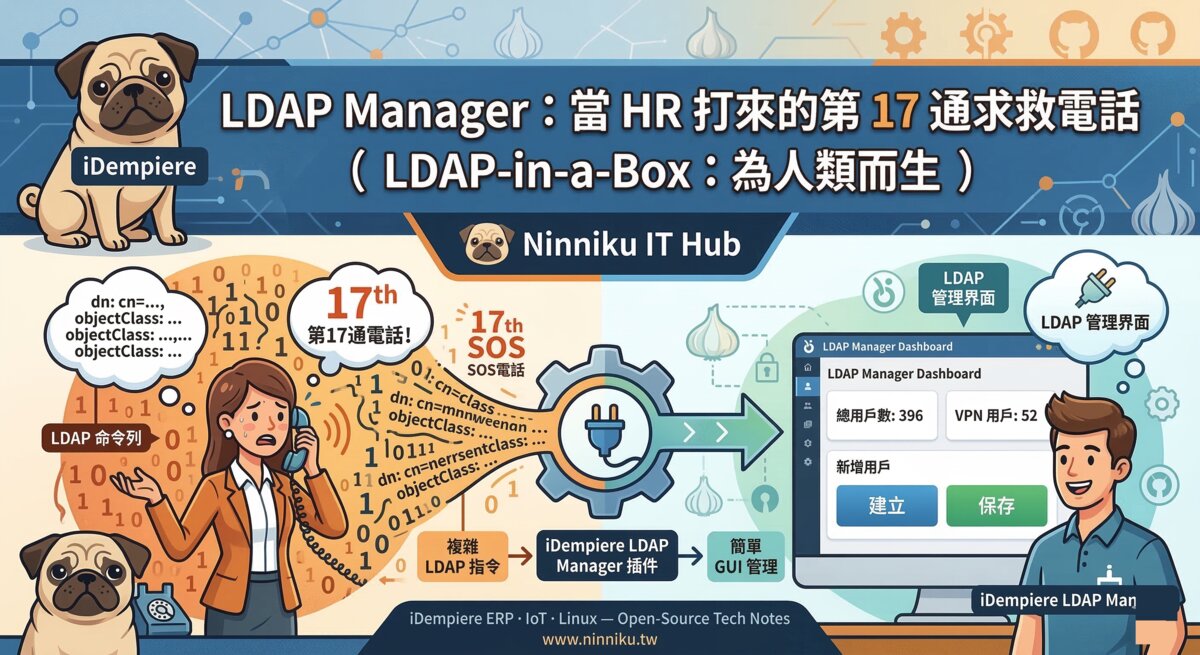
那天下午兩點半,HR 打來了。聲音一如往常地溫柔,問題一如往常地直白:「我要新增一個員工帳號,請問要怎麼操作?」
這是第 17 通了。
工程師在心裡默默計了一下。第一通,他耐心解釋了 ldapadd 指令。第五通,他寫了一份 SOP。第十一通,他把 SOP 印出來貼在 HR 辦公室的牆上。第十七通,HR 的聲音依然溫柔,SOP 大概已經成了佈告欄的裝飾品。
問題不在 HR。HR 沒有錯。HR 每天要面試人、簽合約、安撫新人的焦慮,她憑什麼還要會 LDAP 指令?命令列是給誰設計的?是給在深夜對著螢幕說「再試一次」的人設計的,不是給負責發聘書的人設計的。
非通靈者不應該被強迫通靈。這是工程師的新信條。
所以,這一次,他沒有再解釋指令,而是打開了 iDempiere,準備做一件早該做的事。
Dashboard 登場
iDempiere 打開,主選單裡靜靜躺著一個新條目:LDAP Manager。沒有黑色視窗,沒有游標閃爍,沒有等你打錯指令才冒出來的紅字報錯。點進去,是一個 Dashboard。
396 個靈魂、27 個群組、52 個 VPN 用戶。右上角一行綠字:Server Status: Online。
「連線成功,今天不用加班。」工程師在心裡補了這句話。
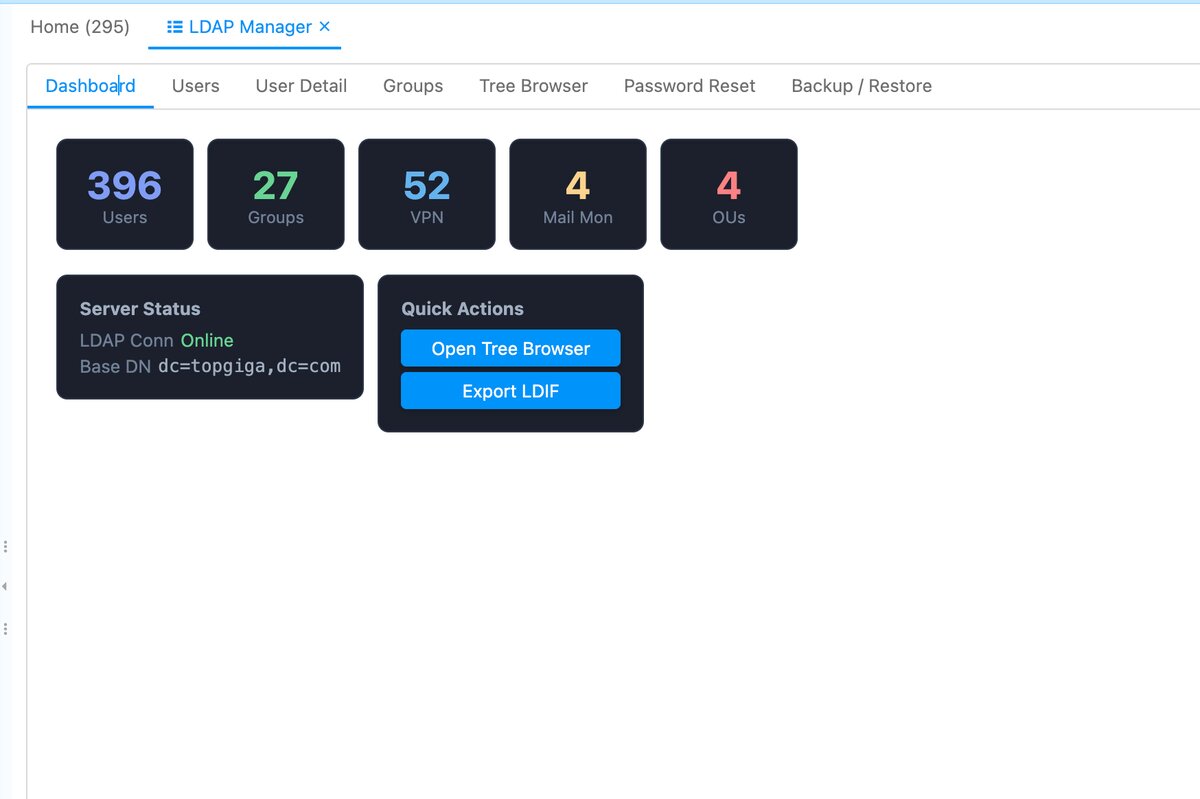
江山一眼盡收。沒有多餘的字,沒有需要記憶的語法。
HR 的操作指南
切換到 Users 頁籤,世界變得更簡單了。搜尋欄即時過濾,想找誰,打名字就好。右上角有一個 VPN 的 checkbox,打勾,清單立刻只剩下有 VPN 權限的人。HR 說她需要找某個同事確認帳號狀態,滑了三秒,找到了。
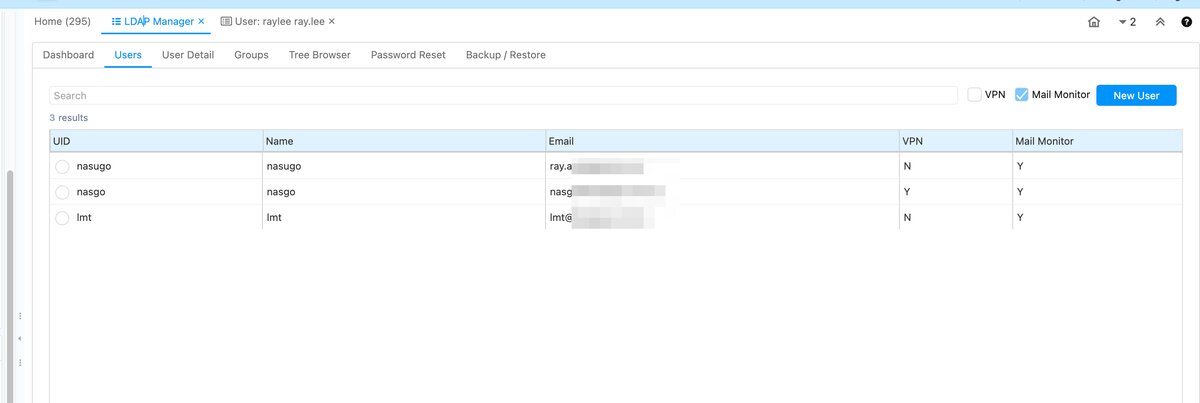
新增使用者?填入 uid、姓名、Email,按下 Create,完成。不需要記任何指令,不需要對著文件確認語法,不需要在深夜打電話問工程師。
雙擊任何一筆記錄,跳到 User Detail。要開 VPN?勾選,存檔。就這樣。
存一次,LDAP 和 ERP 的 AD_User 同時更新。你不用進兩個系統。存一次,天下太平。
工程師的彩蛋
當然,這不只是 HR 的工具。
Groups 頁籤可以管理群組成員,點選成員名稱即可加入或移除,不需要記 DN 路徑。Tree Browser 把整個 LDAP 目錄樹攤開來,工程師想看哪個節點就點哪個,那是屬於工程師的後花園,HR 不會去、也不需要去。Password Reset 是一個下拉選單:選人,打新密碼,點送出,搞定。
整個 plugin 的原始碼都放在 LDAP-in-a-Box on GitHub,歡迎取用。
「送給 HR,也留了後門給自己。」工程師按下最後一次存檔,關掉了 IDE。
太史公曰
太史公曰:昔者 HR 來電,工程師汗流浹背,非懼其問,乃懼其問之第十七次也。今造此器,以界面代命令,以點擊代通靈。自此,HR 自助,工程師安眠。
這個 plugin 是 LDAP-in-a-Box 計畫延伸的部分。如果你的 iDempiere 也需要管 LDAP,歡迎取用。
English
The Call
The phone rang at 2:47 PM on a Tuesday.
“Hi, sorry to bother you again — how do I create a new LDAP account?”
The engineer set down his coffee. He did not need to check his notes. He did not need to think. He had heard this question sixteen times before, and the seventeenth time, something in him quietly broke — not loudly, not dramatically, just a small, clean snap, like a chopstick that had finally had enough.
HR was not the problem. HR had never been the problem. The problem was ldapadd. The problem was a command-line interface that expected non-engineers to memorize LDIF syntax the way medieval monks memorized scripture — and with about as much sympathy for beginners. Non-telepaths should not be forced to recite incantations. The engineer politely said he’d send the instructions again, hung up, opened his IDE, and got to work building something that made the instructions unnecessary.
Dashboard Appears
Three weeks later, he opened iDempiere, navigated to the menu, and there it was: LDAP Manager.
No terminal. No man pages. No existential dread.
The dashboard loaded: 396 users. 27 groups. 52 VPN users. Server Status: Online.
Connection successful. No overtime today.
The HR Operations Manual
Click Users. The list appears — searchable, filterable, with a VPN checkbox if you only want to see the tunnel crowd. Found who you need? Double-click. Need someone new? Hit New User, fill in uid, display name, and email, then click Create.
That’s it. No ceremony. No LDIF. No googling “what does objectClass mean again.”
Want to grant VPN access? Open the user detail, check the VPN box, save.
Here is the part worth reading twice: Save once. Both LDAP and the ERP user record update. You never need to touch two systems. The plugin writes to LDAP and updates iDempiere in the same operation. One click, two worlds synchronized, zero calls to IT.
HR found it so straightforward that they stopped calling. The engineer noticed the silence. He wasn’t sure how to feel about it.
The Engineer’s Easter Egg
Of course, he didn’t build it purely out of charity.
There’s also a Groups tab for managing group membership, a Tree Browser for navigating the raw LDAP directory — the engineer’s private garden, where he can wander among dc= entries like a librarian who actually knows where everything is — and a Password Reset function for when users forget, which is always.
The whole thing lives at https://github.com/ray-idempiere/ldap-in-a-box. Built for HR. But he left a back door for himself.
The Historian Writes
The Historian writes: In days past, HR called and the engineer shook — not from fear of the question, but from fear of the seventeenth asking of it. And so he built a gate where once there was only a cliff. HR walked through it without looking down. The engineer watched from a distance, satisfied, and finally finished his coffee.
—
This plugin is part of the LDAP-in-a-Box project. If you run iDempiere and manage LDAP, help yourself: https://github.com/ray-idempiere/ldap-in-a-box
日本語
あの電話
また鳴った。
「すみません、新しいスタッフのLDAPアカウントを作りたいんですが……どうすればいいですか?」
エンジニアは受話器を持ったまま、心の中で静かに数えた。
17回目だ。
悪いのは HR ではない。悪いのは ldapadd だ。DN を暗唱し、LDIF を手打ちし、タイポ一つでエラーを吐く、あの呪文のような CLI が悪い。通霊能力のない人に呪文を強制してはいけない。そう決意したエンジニアは、ターミナルを閉じ、IDE を開いた。
Dashboard 登場
iDempiere を開くと、メニューに「LDAP Manager」が現れた。
ダッシュボードには現在の状態が一目でわかる。ユーザー 396 名、グループ 27、VPN ユーザー 52 名。接続ステータス:成功。
「接続成功。今日は残業なし。」
HR のための操作マニュアル
「Users」タブを開けば、検索バーがある。名前の一部を入力するだけで絞り込める。VPN ユーザーだけ表示するチェックボックスもある。
新しいスタッフを追加するときは「New User」ボタンを押す。uid・名前・Email を入力して「Create」を押せば完了。
あとはユーザー行をダブルクリックして User Detail を開き、VPN アクセスが必要なら該当チェックを入れて保存するだけ。
一度保存すれば、LDAP と ERP のユーザーレコードが同時に更新される。二つのシステムを触る必要はない。
HR はコマンドラインを覚えなくていい。エンジニアは 18 回目の電話を受けなくていい。全員が幸せだ。
エンジニアの隠し味
「Groups」タブでグループ管理ができる。「Tree Browser」はエンジニアの秘密の庭 ── LDAP ツリーを可視化し、構造を直接確認できる。「Password Reset」機能も内蔵済み。
ソースは GitHub で公開している。
「HR に贈り物、でも自分用の裏口も残した。」
太史公曰
太史公曰:エンジニアは 17回目の電話ののち、筆を執りプラグインを作りぬいた。LDAP の呪文は GUI の奥に封印され、HR は平和を取り戻した。
このプラグインは LDAP-in-a-Box プロジェクトの一部です。iDempiere で LDAP を管理しているなら、ぜひご利用ください。→ https://github.com/ray-idempiere/ldap-in-a-box