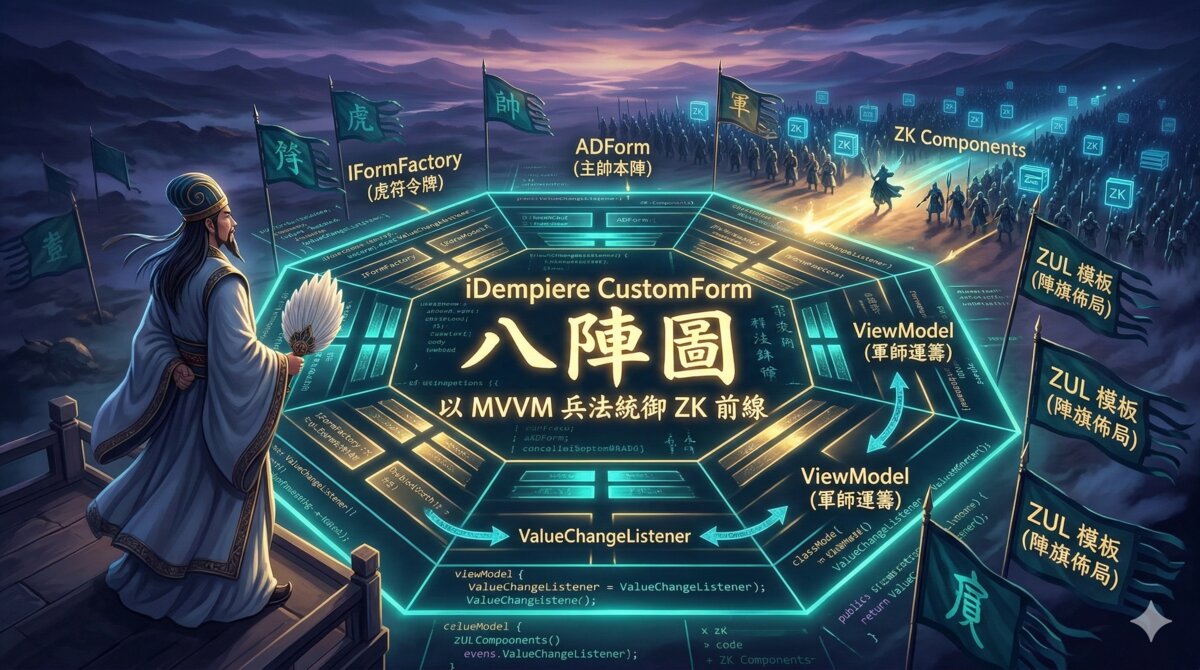
前言:拜相點兵
話說蜀漢建興年間,丞相諸葛亮治國有方,南征北伐,無往不利。唯獨有一事,令丞相夜不能寐——iDempiere CustomForm 開發。
你看那 iDempiere WebUI,表面上是個 ERP 系統,骨子裡卻是 ZK Framework + OSGI 的深水區。想做一個自訂表單?光是「讓畫面出現」這件事,就得過五關斬六將:OSGI ClassLoader 不認你的檔案、ZK 的 ~./ 路徑找不到資源、@NotifyChange 死活不觸發 UI 更新……每一個坑都足以讓你在鍵盤前仰天長嘯:「臣本布衣,躬耕於南陽,苟全性命於亂世,不求聞達於 OSGI。」
但丞相終究是丞相。他花了三天三夜,終於將 CustomForm 開發的所有眉角,化為一座八陣圖——六座大陣加一份敗陣覆盤,陣陣環扣,步步為營。只要依圖佈陣,就算是第一次上戰場的新兵,也能全身而退。
本文將以諸葛亮佈八陣圖之法,帶你走過 iDempiere CustomForm + ZK MVVM 的完整開發流程。所有程式碼皆為實戰驗證,搬去直接用。
八陣圖總覽:四大陣眼
陣法口訣:「一圖在手,天下我有。」
丞相攤開竹簡,畫出 CustomForm 的整體架構。此陣共有四大陣眼,缺一則陣法崩潰:
┌─────────────────────────────────────────────────────┐
│ iDempiere CustomForm 架構                            │
│                                                     │
│  ┌──────────────┐    creates    ┌──────────────────┐ │
│  │ IFormFactory  │─────────────▶│ ADForm           │ │
│  │ (OSGI Service)│              │ (Form Controller)│ │
│  └──────────────┘              └────────┬─────────┘ │
│                                         │           │
│                          initForm()     │           │
│                          ┌──────────────┘           │
│                          ▼                          │
│              ┌──────────────────────┐               │
│              │ createComponents()   │               │
│              │ "~./zul/MyForm.zul"  │               │
│              └──────────┬───────────┘               │
│                         │                           │
│          ┌──────────────┼──────────────┐             │
│          ▼              ▼              ▼             │
│  ┌─────────────┐ ┌───────────┐ ┌────────────────┐  │
│  │ POJO        │ │ ZUL       │ │ iDempiere      │  │
│  │ ViewModel   │ │ Template  │ │ WebUI 元件      │  │
│  │ (@Command)  │ │ (MVVM)    │ │ (WSearchEditor)│  │
│  └─────────────┘ └───────────┘ └────────────────┘  │
└─────────────────────────────────────────────────────┘
四大陣眼,各司其職:
| 元件 | 軍職 | 角色 | 檔案 |
|---|---|---|---|
IFormFactory | 虎符(調兵令牌) | OSGI 服務,建立 Form 實體 | RNDFormFactory.java |
ADForm | 主帥(坐鎮中軍) | Form Controller,負責初始化 | DispensingForm.java |
| POJO ViewModel | 軍師(運籌帷幄) | 業務邏輯,ZK 資料綁定 | DispensingVM.java |
| ZUL 模板 | 陣旗(佈局排陣) | UI 佈局,MVVM 綁定語法 | RND_DispensingForm.zul |
第一陣:開通糧道 — OSGI 資源路徑 ~./ 設定
陣法口訣:「糧草未通,三軍不動。」
兵馬未動,糧草先行。在 OSGI 的世界裡,「糧草」就是你的 ZUL 檔案、圖片、CSS 這些資源。如果糧道不通,你的畫面就是一片白——比空城計還空,至少空城計門還是開的。
ZK ~./ 機制
ZK 的 ~./ 前綴就像是糧道的入口暗號,表示「從 classpath 中的 web/ 目錄載入」。喊對暗號,糧草送達;喊錯暗號,敵軍亂入:
~./zul/MyForm.zul → classpath: web/zul/MyForm.zulBundle-ClassPath 設定
在 META-INF/MANIFEST.MF 中,Bundle-ClassPath 必須包含 .(bundle 根目錄),這樣 web/ 目錄才會在 classpath 上。這就像在地圖上標註糧倉的位置——標錯了,糧官就算跑斷腿也找不到米:
Bundle-ClassPath: src/,
.注意:. 代表 bundle 根目錄。有了它,bundle 根目錄下的 web/ 就成為 classpath 中的 web/ 目錄,ZK 的 ~./ 才能找到資源。少了這一個點,整條糧道全斷。
build.properties 設定
確保 web/ 目錄包含在打包範圍內——糧草裝了車卻忘了帶上路,跟沒裝一樣:
bin.includes = META-INF/,\
               .,\
               src/,\
               web/,\
               OSGI-INF/rnd_form_factory.xml
source.. = src/
src.includes = src/,\
               web/
output.. = bin/
ClassLoader 切換(借東風!)
此乃本陣最玄妙之處,堪比赤壁借東風。
在 OSGI 環境中,ZK 使用 Thread Context ClassLoader 解析 ~./ 路徑。但 iDempiere 的 Thread Context ClassLoader 預設是 Web Application 的 classloader——它看得到天下所有的大路,唯獨看不到你 bundle 內部那條小巷裡的 web/ 目錄。
這就好比:東風明明要吹,但天時不對,風向不順。你得親手改變天時——把 Thread Context ClassLoader 切換為 bundle 自己的 classloader:
@Override
protected void initForm() {
    // 1) 儲存原始 classloader
    ClassLoader cl = Thread.currentThread().getContextClassLoader();
    try {
        // 2) 切換為 bundle 的 classloader
        Thread.currentThread().setContextClassLoader(getClass().getClassLoader());

        // 3) 現在 ~./ 可以正確解析了
        Executions.createComponents("~./zul/RND_DispensingForm.zul", this, args);

    } finally {
        // 4) 務必還原 classloader
        Thread.currentThread().setContextClassLoader(cl);
    }
}
原理拆解:
getClass().getClassLoader()→ 返回 OSGI bundle 的 classloader,能看到 bundle 內的web/目錄(東風已至)Thread.currentThread().getContextClassLoader()→ 預設是 web app classloader,看不到 bundle 資源(風向不對)- 切換後 ZK 就能透過
~./找到 bundle 內的 ZUL 檔案(火燒連環船,大功告成)
切記:finally 區塊務必還原 classloader。借了東風不還,下次別人要用風的時候就吹不動了。
目錄結構
最後,看看整座糧倉的佈局圖,確保每袋糧草都放對位置:
tw.topgiga.rnd/
├── META-INF/
│   └── MANIFEST.MF          ← Bundle-ClassPath 含 "."
├── OSGI-INF/
│   └── rnd_form_factory.xml  ← OSGI 服務宣告
├── src/
│   └── tw/topgiga/rnd/
│       ├── form/
│       │   └── DispensingForm.java
│       ├── viewmodel/
│       │   └── DispensingVM.java
│       └── factories/
│           └── RNDFormFactory.java
├── web/                      ← ~./ 根目錄
│   ├── zul/
│   │   └── RND_DispensingForm.zul
│   └── images/
│       └── header_banner.png
└── build.properties          ← bin.includes 含 web/
第二陣:主帥升帳 — Form Controller
陣法口訣:「主帥不升帳,三軍無所從。」
糧道通了,接下來就是主帥升帳。Form Controller 繼承 ADForm 並實作 IFormController,就像主帥穿上甲冑、坐上中軍帥位。他負責四件大事:
- 載入 ZUL 模板(展開陣旗)
- 建立並傳遞 ViewModel(請軍師入帳)
- 注入 iDempiere WebUI 元件(調配軍械)
- 監聽元件事件並更新 ViewModel(前線戰報轉給軍師)
完整範例:DispensingForm.java
package tw.topgiga.rnd.form;

import java.util.HashMap;
import java.util.Map;
import java.util.logging.Logger;

import org.adempiere.webui.editor.WSearchEditor;
import org.adempiere.webui.event.ValueChangeEvent;
import org.adempiere.webui.event.ValueChangeListener;
import org.adempiere.webui.panel.ADForm;
import org.adempiere.webui.panel.IFormController;
import org.compiere.model.MColumn;
import org.compiere.model.MLookup;
import org.compiere.model.MLookupFactory;
import org.compiere.util.DisplayType;
import org.compiere.util.Env;
import org.zkoss.bind.Binder;
import org.zkoss.zk.ui.Component;
import org.zkoss.zk.ui.Executions;
import org.zkoss.zk.ui.select.Selectors;
import org.zkoss.zk.ui.select.annotation.Wire;

import tw.topgiga.rnd.viewmodel.DispensingVM;

public class DispensingForm extends ADForm
        implements IFormController, ValueChangeListener {

    private static final long serialVersionUID = 1L;
    private static final Logger log =
            Logger.getLogger(DispensingForm.class.getName());

    // iDempiere WebUI 元件(非 ZK 原生)
    private WSearchEditor fProject;

    // @Wire 綁定 ZUL 中 id="projectEditorContainer" 的元件
    @Wire("#projectEditorContainer")
    private Component projectEditorContainer;

    // @Wire 綁定 ZUL 根元件,用來取得 Binder → ViewModel
    @Wire("#dispensingVMContainer")
    private Component dispensingVMContainer;

    @Override
    protected void initForm() {
        // ClassLoader 切換:OSGI 環境中讓 ~./ 能解析 bundle 內資源
        ClassLoader cl = Thread.currentThread().getContextClassLoader();
        try {
            Thread.currentThread().setContextClassLoader(
                    getClass().getClassLoader());

            // 建立 ViewModel 並透過 args 傳入 ZUL
            Map<String, Object> args = new HashMap<>();
            args.put("vm", new DispensingVM());
            Executions.createComponents(
                    "~./zul/RND_DispensingForm.zul", this, args);

            // Wire ZUL 元件到 Java 欄位(@Wire 標註)
            Selectors.wireComponents(this, this, false);

            // 建立 iDempiere WSearchEditor(Lookup 元件)
            MLookup projectLookup = MLookupFactory.get(
                    Env.getCtx(), 0, 0,
                    MColumn.getColumn_ID("RND_Project", "RND_Project_ID"),
                    DisplayType.Search);
            fProject = new WSearchEditor(
                    "RND_Project_ID", false, false, true, projectLookup);
            fProject.setMandatory(true);
            fProject.addValueChangeListener(this);

            // 將 WSearchEditor 的 ZK 元件加入 ZUL 容器
            if (projectEditorContainer != null) {
                projectEditorContainer.appendChild(fProject.getComponent());
            }
        } catch (Exception e) {
            log.severe("Failed to init DispensingForm: " + e.getMessage());
        } finally {
            Thread.currentThread().setContextClassLoader(cl);
        }
    }

    /**
     * 監聽 iDempiere 元件值變更,轉發給 ViewModel
     */
    @Override
    public void valueChange(ValueChangeEvent evt) {
        if (evt.getSource() == fProject) {
            Integer projectId = (Integer) evt.getNewValue();
            DispensingVM vm = getViewModel();
            if (vm != null) {
                vm.setSelectedProjectId(projectId);
            }
        }
    }

    /**
     * 從 ZK Binder 取得 ViewModel 實體
     */
    private DispensingVM getViewModel() {
        if (dispensingVMContainer == null) return null;
        Binder binder = (Binder) dispensingVMContainer
                .getAttribute("binder");
        if (binder == null) return null;
        Object vmInstance = binder.getViewModel();
        if (vmInstance instanceof DispensingVM) {
            return (DispensingVM) vmInstance;
        }
        return null;
    }

    @Override
    public ADForm getForm() {
        return this;
    }
}
第三陣:軍師運籌 — POJO ViewModel
陣法口訣:「軍師不穿盔甲,卻掌生殺大權。」
ViewModel 是整座八陣圖的智慧核心。最妙的是——它是純 POJO,不繼承任何 ZK 類別。就像諸葛亮不穿盔甲、不佩刀劍,一襲白衣羽扇綸巾,卻能運籌帷幄之中,決勝千里之外。
軍師靠的不是蠻力,而是一套精妙的令旗與烽火系統:
| 標註 | 軍職比喻 | 用途 |
|---|---|---|
@Init | 軍師就位 | 初始化方法,ZK 建立 VM 後呼叫 |
@Command | 令旗 | 方法可被 ZUL @command(...) 觸發 |
@NotifyChange | 烽火 | 方法執行後通知 ZK 更新綁定的屬性 |
@DependsOn | 連環計 | 計算屬性,依賴其他屬性變更 |
@BindingParam | 密信 | 從 ZUL 傳入方法參數 |
範例:DispensingVM.java
public class DispensingVM {

    private Integer selectedProjectId;
    private List<MFormula> projectFormulas = new ArrayList<>();
    private Set<MFormula> selectedFormulas = new HashSet<>();
    private List<MBatchTicket> batchTickets = new ArrayList<>();
    private BigDecimal scaleFactor = BigDecimal.ONE;

    @Init
    public void init() {
        // 初始化;本例中 project ID 由 Form Controller 外部設定
    }

    @Command
    @NotifyChange({"projectFormulas", "selectedFormulas", "batchTickets"})
    public void loadProjectData() {
        projectFormulas.clear();
        if (selectedProjectId == null) return;

        List<MFormula> formulas = new Query(
                Env.getCtx(), MFormula.Table_Name,
                "RND_Project_ID = ? AND IsActive='Y'", null)
                .setParameters(selectedProjectId)
                .setOrderBy("Name")
                .list();

        if (formulas != null) projectFormulas.addAll(formulas);
        loadBatchTickets();
    }

    @Command
    @NotifyChange("batchTickets")
    public void generateBatchTickets() {
        if (selectedFormulas.isEmpty()) {
            Clients.showNotification("Please select at least one formula.",
                    "warning", null, "end_center", 3000);
            return;
        }
        MFormula[] formulas = selectedFormulas.toArray(new MFormula[0]);
        FormulaFactory.createBatchTicket(formulas, scaleFactor);
        loadBatchTickets();
    }

    @Command
    @NotifyChange({"selectedFormula", "formulaLines"})
    public void selectFormula(
            @BindingParam("formula") MFormula formula) {
        this.selectedFormula = formula;
        formulaLines.clear();
        if (formula != null) {
            for (MFormulaLine line : formula.getLines()) {
                formulaLines.add(line);
            }
        }
    }

    @DependsOn("selectedFormulas")
    public String getSelectedCountText() {
        int count = selectedFormulas != null ? selectedFormulas.size() : 0;
        return "Selected: " + count;
    }

    /**
     * 由 Form Controller 呼叫(非 ZK Command)。
     * 使用 BindUtils.postNotifyChange 通知 ZK 更新 UI。
     */
    public void setSelectedProjectId(Integer projectId) {
        this.selectedProjectId = projectId;
        loadProjectData();
        BindUtils.postNotifyChange(null, null, this, "projectFormulas");
        BindUtils.postNotifyChange(null, null, this, "batchTickets");
    }

    // Getters/Setters(ZK MVVM 需要)
    public List<MFormula> getProjectFormulas() { return projectFormulas; }
    public Set<MFormula> getSelectedFormulas() { return selectedFormulas; }
    public BigDecimal getScaleFactor() { return scaleFactor; }

    @NotifyChange("scaleFactor")
    public void setScaleFactor(BigDecimal sf) { this.scaleFactor = sf; }
}
烽火 vs 飛鴿傳書:@NotifyChange vs BindUtils.postNotifyChange
這是軍師最容易搞混的兩套通訊系統。用錯了,前線打了勝仗卻沒人知道,UI 紋風不動:
| 情境 | 通訊方式 | 比喻 |
|---|---|---|
@Command 方法內 | @NotifyChange({"prop1", "prop2"}) | 烽火——令旗揮下後自動點燃,陣內自動傳遞 |
非 @Command 方法(外部呼叫) | BindUtils.postNotifyChange(null, null, this, "prop") | 飛鴿傳書——陣外來的消息,得手動放飛信鴿 |
重要:當主帥(Form Controller)直接呼叫軍師(ViewModel)的方法時(如 setSelectedProjectId),因為這不是令旗(@Command)觸發的,烽火不會自動點燃。必須手動放飛鴿傳書(BindUtils.postNotifyChange),否則前線捷報永遠送不到 UI。
第四陣:陣旗佈局 — ZUL 模板
陣法口訣:「旗語不通,軍令不達。」
ZUL 模板就是戰場上的陣旗佈局——哪裡擺步兵、哪裡放騎兵、哪面旗幟指揮哪支部隊,全靠這張圖。
ViewModel 初始化
首先,要讓陣旗認得軍師。使用 arg.vm 接收 Form Controller 傳入的預建 ViewModel:
<borderlayout hflex="1" vflex="1" id="dispensingVMContainer"
              apply="org.zkoss.bind.BindComposer"
              viewModel="@id('vm') @init(arg.vm)">
    ...
</borderlayout>
三個關鍵設定:
apply="org.zkoss.bind.BindComposer"— 啟用 ZK MVVM 綁定(開啟旗語系統)viewModel="@id('vm') @init(arg.vm)"— 使用 Java 端傳入的 VM 實體,而非讓 ZK 自己 new 一個(軍師是主帥請來的,不是路邊撿的)id="dispensingVMContainer"— 讓 Form Controller 可以@Wire取得此元件,再透過 Binder 存取 VM(主帥要能找到軍師的帳篷)
資料綁定語法
陣旗的旗語有好幾種,各有用途:
<!-- 單向綁定(VM → UI):軍師下令,旗兵照辦 -->
<label value="@load(vm.selectedCountText)"/>

<!-- 雙向綁定(VM ↔ UI):前線回報 + 軍師指揮,雙向溝通 -->
<doublebox value="@bind(vm.scaleFactor)" format="##0.###"/>

<!-- 列表綁定:軍師展開兵冊,逐一點名 -->
<listbox model="@load(vm.projectFormulas)"
         selectedItems="@bind(vm.selectedFormulas)"
         checkmark="true" multiple="true">
    <template name="model" var="f">
        <listitem onClick="@command('selectFormula', formula=f)">
            <listcell label="@load(f.name)"/>
        </listitem>
    </template>
</listbox>

<!-- Command 呼叫:揮動令旗 -->
<button label="Generate" onClick="@command('generateBatchTickets')"/>

<!-- 條件 disabled:沒選兵就不能出征 -->
<button label="Compare"
        onClick="@command('compareFormulas')"
        disabled="@load(empty vm.selectedFormulas)"/>
iDempiere 元件容器
在 ZUL 中預留空的 <div>,就像在陣地上預留一塊空地,等著安放從 iDempiere 借來的軍械:
<div id="projectEditorContainer" width="250px"
     style="min-height:25px;"/>
主帥透過 @Wire 取得這塊空地後,把借來的 iDempiere 元件安放上去:
@Wire("#projectEditorContainer")
private Component projectEditorContainer;

// in initForm():
projectEditorContainer.appendChild(fProject.getComponent());
第五陣:草船借箭 — 注入 iDempiere WebUI 元件
陣法口訣:「不造箭,不買箭,借敵人的箭來用。」
這是整座八陣圖中最精妙的一計。iDempiere 有一堆好用的 WebUI 元件——WSearchEditor、WTableDirEditor 等等——這些都是曹操精心打造的箭矢。你不用自己造,借來用就好。
WSearchEditor(Lookup 搜尋元件)
// 1) 建立 MLookup(定義搜尋哪張表的哪個欄位)
MLookup projectLookup = MLookupFactory.get(
        Env.getCtx(),
        0,                   // windowNo
        0,                   // tabNo (not used for search)
        MColumn.getColumn_ID("RND_Project", "RND_Project_ID"),
        DisplayType.Search); // Search display type

// 2) 建立 WSearchEditor
WSearchEditor editor = new WSearchEditor(
        "RND_Project_ID",    // column name
        false,               // mandatory (初始)
        false,               // readOnly
        true,                // updateable
        projectLookup);      // lookup

// 3) 設定屬性
editor.setMandatory(true);

// 4) 監聽值變更
editor.addValueChangeListener(this);

// 5) 加入 ZUL 容器
container.appendChild(editor.getComponent());
ValueChangeListener 橋接
草船借來的箭,得有人接。Form Controller 實作 ValueChangeListener,接收 iDempiere 元件事件後轉發給軍師(ViewModel):
@Override
public void valueChange(ValueChangeEvent evt) {
    if (evt.getSource() == fProject) {
        Integer projectId = (Integer) evt.getNewValue();
        DispensingVM vm = getViewModel();
        if (vm != null) {
            vm.setSelectedProjectId(projectId);
        }
    }
}
取得 ViewModel 的方法
因為軍師(ViewModel)是由 ZK Binder 管理的,主帥要找軍師談事情,得先找到 Binder 這個中間人:
private DispensingVM getViewModel() {
    if (dispensingVMContainer == null) return null;

    // ZK 會在 apply="BindComposer" 的元件上設定 "binder" attribute
    Binder binder = (Binder) dispensingVMContainer
            .getAttribute("binder");
    if (binder == null) return null;

    Object vmInstance = binder.getViewModel();
    if (vmInstance instanceof DispensingVM) {
        return (DispensingVM) vmInstance;
    }
    return null;
}
第六陣:虎符調兵 — IFormFactory 與 OSGI 註冊
陣法口訣:「無虎符者,雖將軍亦不得調兵。」
陣法布好了、軍師就位了、陣旗也插好了——但如果沒有虎符,這支大軍根本不會出現在戰場上。IFormFactory 就是虎符:iDempiere 透過它來決定「當使用者開啟某個表單時,要建立哪個 Java 類別」。
IFormFactory 實作
package tw.topgiga.rnd.factories;

import org.adempiere.webui.factory.IFormFactory;
import org.adempiere.webui.panel.ADForm;
import tw.topgiga.rnd.form.DispensingForm;

public class RNDFormFactory implements IFormFactory {

    @Override
    public ADForm newFormInstance(String formName) {
        if (formName == null) return null;

        if (formName.equals(DispensingForm.class.getName()))
            return new DispensingForm();

        return null;
    }
}
OSGI Service Component 宣告
虎符光有令牌不夠,還得在兵部(OSGI)登記造冊。OSGI-INF/rnd_form_factory.xml:
<?xml version="1.0" encoding="UTF-8"?>
<scr:component xmlns:scr="http://www.osgi.org/xmlns/scr/v1.1.0"
               name="tw.topgiga.rnd.factories.RNDFormFactory">
   <implementation class="tw.topgiga.rnd.factories.RNDFormFactory"/>
   <property name="service.ranking" type="Integer" value="10"/>
   <service>
      <provide interface="org.adempiere.webui.factory.IFormFactory"/>
   </service>
</scr:component>
MANIFEST.MF 中的 Service-Component
最後,在 MANIFEST.MF 中註明虎符的存放位置:
Service-Component: OSGI-INF/rnd_form_factory.xmliDempiere 中的 AD_Form 設定
在 Application Dictionary 中建立 Form 記錄,就像在朝廷的官冊上登記這位新將軍:
- Classname:
tw.topgiga.rnd.form.DispensingForm - 建立 Menu 項目指向此 Form
完整 MANIFEST.MF 範例
附上完整的兵部檔案,供各位將軍參考:
Manifest-Version: 1.0
Bundle-ManifestVersion: 2
Bundle-Name: Rnd
Bundle-SymbolicName: tw.topgiga.rnd
Bundle-Version: 1.0.0.qualifier
Automatic-Module-Name: tw.topgiga.rnd
Bundle-ClassPath: src/,
 .
Bundle-RequiredExecutionEnvironment: JavaSE-17
Bundle-ActivationPolicy: lazy
Service-Component: OSGI-INF/rnd_form_factory.xml
Require-Bundle: org.adempiere.base;bundle-version="12.0.0",
 org.adempiere.ui.zk;bundle-version="12.0.0",
 zul;bundle-version="9.6.0",
 zk;bundle-version="9.6.0",
 zkbind;bundle-version="9.6.0",
 zcommon;bundle-version="9.6.0"
Import-Package: org.compiere.model,
 org.compiere.process,
 org.compiere.util,
 org.adempiere.base,
 org.adempiere.webui.editor,
 org.adempiere.webui.event,
 org.adempiere.webui.factory,
 org.adempiere.webui.panel,
 org.zkoss.bind,
 org.zkoss.bind.annotation,
 org.zkoss.zk.ui,
 org.zkoss.zk.ui.event,
 org.zkoss.zk.ui.select,
 org.zkoss.zk.ui.select.annotation,
 org.zkoss.zk.ui.util,
 org.zkoss.zul
Web-ContextPath: /rnd
敗陣覆盤 — 常見問題
陣法口訣:「勝敗乃兵家常事,覆盤才是兵法真傳。」
以下是丞相親自踩過的每一個坑。每一條都是用血淚換來的教訓,記好了,能少掉幾根頭髮。
Q: Page not found: ~./zul/MyForm.zul
敗陣經過:辛辛苦苦寫好的 ZUL 模板,一打開表單就跟你說「找不到頁面」。你明明放在 web/zul/ 下面了,它就是看不到。彷彿把糧草堆在糧倉裡,糧官卻說「倉庫是空的」。
敗因:Thread Context ClassLoader 不是 bundle 的 classloader,ZK 無法在 classpath 中找到 web/zul/MyForm.zul。
破解:在 initForm() 中加入 ClassLoader 切換(見第一陣:借東風)。
Q: CSS background: url('~./images/bg.png') 無效
敗陣經過:你以為 CSS 裡也能用 ~./?天真了。背景圖死活不出來,畫面一片白到你懷疑人生。
敗因:CSS 的 url() 是由瀏覽器解析,不經過 ZK 伺服器端的 ~./ 路徑解析。瀏覽器哪認得什麼 ~./?它只認得 HTTP 路徑和 Base64。
破解:使用 Base64 Data URI 嵌入圖片:
<div style="background: url('data:image/jpeg;base64,/9j/4AAQ...') center/cover;"/>產生 Base64 的方法:
base64 -i web/images/header_banner.png | tr -d '\n' > web/images/header_banner.b64Q: @NotifyChange 沒有觸發 UI 更新
敗陣經過:軍師明明更新了資料,UI 卻紋風不動。你對著螢幕瘋狂 F5,什麼都沒變。烽火台就在那裡,烽火就是不點。
敗因:只有被 @Command 標註的方法才會自動處理 @NotifyChange。如果方法是由 Java 程式碼直接呼叫(非 ZK Command),@NotifyChange 不會生效。烽火只在令旗揮下時才自動點燃;陣外來的消息,烽火台不理你。
破解:使用飛鴿傳書 BindUtils.postNotifyChange:
public void setSelectedProjectId(Integer id) {
    this.selectedProjectId = id;
    loadProjectData();
    BindUtils.postNotifyChange(null, null, this, "projectFormulas");
}
Q: Selectors.wireComponents 的 @Wire 沒有綁定到元件
敗陣經過:@Wire 標註的欄位全是 null。你確認了 ID 拼寫正確、語法無誤,它就是 null。像是派斥候去找一座還沒蓋好的營帳,自然找不到。
敗因:wireComponents 必須在 createComponents 之後呼叫。ZUL 元件必須先被建立,才能被 wire。營帳沒蓋好,斥候去哪找?
破解:確保呼叫順序正確——先蓋營帳,再派斥候:
// 1) 先建立元件
Executions.createComponents("~./zul/MyForm.zul", this, args);
// 2) 再 wire
Selectors.wireComponents(this, this, false);
// 3) 最後才能使用 @Wire 的欄位
if (projectEditorContainer != null) { ... }
Q: MANIFEST.MF 需要 Export-Package 嗎?
敗陣經過:有人問:「我是不是得把 package export 出去,ZK 才找得到 ZUL?」
答案:不需要。~./ 路徑解析是透過 ClassLoader 存取 bundle 內部資源,不需要將 package export 給其他 bundle。這就像糧倉的糧草是給自家軍隊吃的,不用開放給其他諸侯。
諸葛亮曰
諸葛亮曰:「余佈八陣圖於 iDempiere 之上,歷經糧道、借東風、升帥帳、運軍師、布陣旗、草船借箭、虎符調兵七重關卡。觀夫 CustomForm 之道,其難不在程式碼,而在 OSGI 之幽深、ClassLoader 之詭譎、ZK MVVM 之迂迴。世人皆以為寫 Java 即可成事,殊不知 OSGI 環境之中,一個 ClassLoader 之差,足令三軍潰敗、畫面全白。
然則陣法既明,依圖佈陣,雖萬軍之中亦可從容進退。記住四訣:糧道先通、東風先借、令旗與烽火不可混、虎符必須登記。習得此術者,可謂不懼 OSGI、不畏 ClassLoader、MVVM 如臂使指、CustomForm 信手拈來。」
願你的 iDempiere 開發之路,從此八陣護身,再無 Page Not Found。
English Version
Prologue: Mustering the Troops
In the era of the Three Kingdoms, the great strategist Zhuge Liang governed with brilliance, conquering on every front. Yet one challenge kept him up at night — iDempiere CustomForm development.
Beneath its surface, iDempiere’s WebUI is a deep-water zone of ZK Framework + OSGI. Want to build a custom form? Just getting the screen to appear requires fighting through five garrisons: the OSGI ClassLoader refuses to see your files, ZK’s ~./ path can’t find your resources, @NotifyChange stubbornly refuses to update the UI… Each pitfall is enough to make you throw your hands up and cry: “I was but a humble farmer, tilling my fields in Nanyang, asking nothing of OSGI!”
But a master strategist is a master strategist. After three days and three nights, he distilled every nuance of CustomForm development into a single battle plan — the Eight Formations — six major formations plus a post-battle debriefing, each formation interlocking with the next. Follow the diagram, and even a raw recruit on their first campaign can make it through alive.
This article uses Zhuge Liang’s Art of the Eight Formations to walk you through the complete iDempiere CustomForm + ZK MVVM development workflow. All code has been battle-tested and is ready to deploy.
The Eight Formations: Overview of the Four Cornerstones
The Strategist’s Maxim: “With this map in hand, the realm is mine.”
The strategist unfurls his bamboo scroll and sketches the overall CustomForm architecture. The formation has four cornerstones — remove any one, and the entire formation collapses:
┌─────────────────────────────────────────────────────┐
│ iDempiere CustomForm Architecture                    │
│                                                     │
│  ┌──────────────┐    creates    ┌──────────────────┐ │
│  │ IFormFactory  │─────────────▶│ ADForm           │ │
│  │ (OSGI Service)│              │ (Form Controller)│ │
│  └──────────────┘              └────────┬─────────┘ │
│                                         │           │
│                          initForm()     │           │
│                          ┌──────────────┘           │
│                          ▼                          │
│              ┌──────────────────────┐               │
│              │ createComponents()   │               │
│              │ "~./zul/MyForm.zul"  │               │
│              └──────────┬───────────┘               │
│                         │                           │
│          ┌──────────────┼──────────────┐             │
│          ▼              ▼              ▼             │
│  ┌─────────────┐ ┌───────────┐ ┌────────────────┐  │
│  │ POJO        │ │ ZUL       │ │ iDempiere      │  │
│  │ ViewModel   │ │ Template  │ │ WebUI Components│  │
│  │ (@Command)  │ │ (MVVM)    │ │ (WSearchEditor)│  │
│  └─────────────┘ └───────────┘ └────────────────┘  │
└─────────────────────────────────────────────────────┘
The four cornerstones, each with a distinct role:
| Component | Military Role | Function | File |
|---|---|---|---|
IFormFactory | Tiger Tally (authorization token) | OSGI service that creates Form instances | RNDFormFactory.java |
ADForm | Commander (holds the center) | Form Controller, handles initialization | DispensingForm.java |
| POJO ViewModel | Strategist (plans from the tent) | Business logic, ZK data binding | DispensingVM.java |
| ZUL Template | Battle Standards (formation layout) | UI layout, MVVM binding syntax | RND_DispensingForm.zul |
Formation One: Opening the Supply Lines — OSGI Resource Path ~./ Configuration
The Strategist’s Maxim: “If the supply lines aren’t open, no army moves.”
Before troops march, supplies must flow. In the OSGI world, “supplies” are your ZUL files, images, and CSS resources. If the supply lines are blocked, your screen is blank white — emptier than the Empty Fort Strategy, and at least that one had the gates open.
ZK ~./ Mechanism
ZK’s ~./ prefix is the password to enter the supply depot — it means “load from the web/ directory on the classpath.” Give the right password, supplies arrive. Give the wrong one, the enemy storms in:
~./zul/MyForm.zul → classpath: web/zul/MyForm.zulBundle-ClassPath Configuration
In META-INF/MANIFEST.MF, the Bundle-ClassPath must include . (the bundle root directory) so that the web/ directory lands on the classpath. Think of it as marking the granary’s location on the map — mark it wrong, and the supply officer will run his legs off without finding a single grain:
Bundle-ClassPath: src/,
 .
Note: . represents the bundle root directory. With it, web/ under the bundle root becomes web/ on the classpath, and ZK’s ~./ can find your resources. Miss this single dot, and the entire supply line is severed.
build.properties Configuration
Ensure the web/ directory is included in the build output — loading the supplies onto the wagon but forgetting to bring the wagon along is the same as not loading them at all:
bin.includes = META-INF/,\
               .,\
               src/,\
               web/,\
               OSGI-INF/rnd_form_factory.xml
source.. = src/
src.includes = src/,\
               web/
output.. = bin/
ClassLoader Switch (Borrowing the East Wind!)
This is the most arcane technique in the entire formation — comparable to Zhuge Liang’s legendary feat of “borrowing the east wind” at the Battle of Red Cliffs. (For those unfamiliar: Zhuge Liang allegedly summoned a favorable wind to enable a fire attack on Cao Cao’s fleet. In our case, we’re summoning a favorable ClassLoader to enable ZK to find our files.)
In the OSGI environment, ZK uses the Thread Context ClassLoader to resolve ~./ paths. But iDempiere’s Thread Context ClassLoader defaults to the Web Application’s classloader — it can see every highway in the realm, except the little alley inside your bundle where the web/ directory lives.
The wind is ready to blow, but the conditions aren’t right. You must change the conditions yourself — switch the Thread Context ClassLoader to your bundle’s own classloader:
@Override
protected void initForm() {
    // 1) Save the original classloader
    ClassLoader cl = Thread.currentThread().getContextClassLoader();
    try {
        // 2) Switch to the bundle's classloader
        Thread.currentThread().setContextClassLoader(getClass().getClassLoader());

        // 3) Now ~./ resolves correctly
        Executions.createComponents("~./zul/RND_DispensingForm.zul", this, args);

    } finally {
        // 4) Always restore the classloader
        Thread.currentThread().setContextClassLoader(cl);
    }
}
Breaking it down:
getClass().getClassLoader()— Returns the OSGI bundle’s classloader, which can see the bundle’sweb/directory (the east wind has arrived)Thread.currentThread().getContextClassLoader()— Defaults to the web app classloader, which cannot see bundle resources (the wind is blowing the wrong way)- After the switch, ZK can resolve
~./to find ZUL files inside the bundle (fire ships launched, mission accomplished)
Critical: The finally block must restore the classloader. Borrow the east wind and never return it, and the next person who needs that wind will be left stranded.
Directory Structure
Finally, here is the full layout of the supply depot — every sack of grain in its proper place:
tw.topgiga.rnd/
├── META-INF/
│   └── MANIFEST.MF          ← Bundle-ClassPath includes "."
├── OSGI-INF/
│   └── rnd_form_factory.xml  ← OSGI service declaration
├── src/
│   └── tw/topgiga/rnd/
│       ├── form/
│       │   └── DispensingForm.java
│       ├── viewmodel/
│       │   └── DispensingVM.java
│       └── factories/
│           └── RNDFormFactory.java
├── web/                      ← ~./ root directory
│   ├── zul/
│   │   └── RND_DispensingForm.zul
│   └── images/
│       └── header_banner.png
└── build.properties          ← bin.includes includes web/
Formation Two: The Commander Takes the Field — Form Controller
The Strategist’s Maxim: “Without a commander at the helm, the army has no direction.”
Supply lines open, time for the commander to take the field. The Form Controller extends ADForm and implements IFormController — like the commander donning armor and taking his seat at the command post. He is responsible for four things:
- Loading the ZUL template (unfurling the battle standards)
- Creating and passing the ViewModel (summoning the strategist to the tent)
- Injecting iDempiere WebUI components (requisitioning weapons)
- Listening to component events and updating the ViewModel (relaying field reports to the strategist)
Full Example: DispensingForm.java
package tw.topgiga.rnd.form;

import java.util.HashMap;
import java.util.Map;
import java.util.logging.Logger;

import org.adempiere.webui.editor.WSearchEditor;
import org.adempiere.webui.event.ValueChangeEvent;
import org.adempiere.webui.event.ValueChangeListener;
import org.adempiere.webui.panel.ADForm;
import org.adempiere.webui.panel.IFormController;
import org.compiere.model.MColumn;
import org.compiere.model.MLookup;
import org.compiere.model.MLookupFactory;
import org.compiere.util.DisplayType;
import org.compiere.util.Env;
import org.zkoss.bind.Binder;
import org.zkoss.zk.ui.Component;
import org.zkoss.zk.ui.Executions;
import org.zkoss.zk.ui.select.Selectors;
import org.zkoss.zk.ui.select.annotation.Wire;

import tw.topgiga.rnd.viewmodel.DispensingVM;

public class DispensingForm extends ADForm
        implements IFormController, ValueChangeListener {

    private static final long serialVersionUID = 1L;
    private static final Logger log =
            Logger.getLogger(DispensingForm.class.getName());

    // iDempiere WebUI component (not native ZK)
    private WSearchEditor fProject;

    // @Wire binds to the ZUL component with id="projectEditorContainer"
    @Wire("#projectEditorContainer")
    private Component projectEditorContainer;

    // @Wire binds to the ZUL root component, used to get Binder → ViewModel
    @Wire("#dispensingVMContainer")
    private Component dispensingVMContainer;

    @Override
    protected void initForm() {
        // ClassLoader switch: lets ~./ resolve bundle resources in OSGI
        ClassLoader cl = Thread.currentThread().getContextClassLoader();
        try {
            Thread.currentThread().setContextClassLoader(
                    getClass().getClassLoader());

            // Create ViewModel and pass it to ZUL via args
            Map<String, Object> args = new HashMap<>();
            args.put("vm", new DispensingVM());
            Executions.createComponents(
                    "~./zul/RND_DispensingForm.zul", this, args);

            // Wire ZUL components to Java fields (@Wire annotations)
            Selectors.wireComponents(this, this, false);

            // Create iDempiere WSearchEditor (Lookup component)
            MLookup projectLookup = MLookupFactory.get(
                    Env.getCtx(), 0, 0,
                    MColumn.getColumn_ID("RND_Project", "RND_Project_ID"),
                    DisplayType.Search);
            fProject = new WSearchEditor(
                    "RND_Project_ID", false, false, true, projectLookup);
            fProject.setMandatory(true);
            fProject.addValueChangeListener(this);

            // Append the WSearchEditor's ZK component to the ZUL container
            if (projectEditorContainer != null) {
                projectEditorContainer.appendChild(fProject.getComponent());
            }
        } catch (Exception e) {
            log.severe("Failed to init DispensingForm: " + e.getMessage());
        } finally {
            Thread.currentThread().setContextClassLoader(cl);
        }
    }

    /**
     * Listen for iDempiere component value changes, forward to ViewModel
     */
    @Override
    public void valueChange(ValueChangeEvent evt) {
        if (evt.getSource() == fProject) {
            Integer projectId = (Integer) evt.getNewValue();
            DispensingVM vm = getViewModel();
            if (vm != null) {
                vm.setSelectedProjectId(projectId);
            }
        }
    }

    /**
     * Retrieve the ViewModel instance from the ZK Binder
     */
    private DispensingVM getViewModel() {
        if (dispensingVMContainer == null) return null;
        Binder binder = (Binder) dispensingVMContainer
                .getAttribute("binder");
        if (binder == null) return null;
        Object vmInstance = binder.getViewModel();
        if (vmInstance instanceof DispensingVM) {
            return (DispensingVM) vmInstance;
        }
        return null;
    }

    @Override
    public ADForm getForm() {
        return this;
    }
}
Formation Three: The Strategist’s Tent — POJO ViewModel
The Strategist’s Maxim: “The strategist wears no armor, yet holds the power of life and death.”
The ViewModel is the brain of the entire Eight Formations. And here is the beautiful part — it is a pure POJO, extending no ZK classes whatsoever. Like Zhuge Liang himself: no armor, no sword, just a white robe and a feather fan, yet commanding the outcome of battles a thousand miles away from the comfort of his tent.
The strategist relies not on brute force, but on an elegant system of command flags and signal fires:
| Annotation | Military Analogy | Purpose |
|---|---|---|
@Init | Strategist takes position | Initialization method, called after ZK creates the VM |
@Command | Command Flag | Method can be triggered by ZUL @command(...) |
@NotifyChange | Signal Fire | After method execution, notifies ZK to update bound properties |
@DependsOn | Chain Strategy | Computed property that depends on other property changes |
@BindingParam | Secret Dispatch | Passes parameters from ZUL into the method |
Example: DispensingVM.java
public class DispensingVM {

    private Integer selectedProjectId;
    private List<MFormula> projectFormulas = new ArrayList<>();
    private Set<MFormula> selectedFormulas = new HashSet<>();
    private List<MBatchTicket> batchTickets = new ArrayList<>();
    private BigDecimal scaleFactor = BigDecimal.ONE;

    @Init
    public void init() {
        // Initialization; in this example, project ID is set externally by Form Controller
    }

    @Command
    @NotifyChange({"projectFormulas", "selectedFormulas", "batchTickets"})
    public void loadProjectData() {
        projectFormulas.clear();
        if (selectedProjectId == null) return;

        List<MFormula> formulas = new Query(
                Env.getCtx(), MFormula.Table_Name,
                "RND_Project_ID = ? AND IsActive='Y'", null)
                .setParameters(selectedProjectId)
                .setOrderBy("Name")
                .list();

        if (formulas != null) projectFormulas.addAll(formulas);
        loadBatchTickets();
    }

    @Command
    @NotifyChange("batchTickets")
    public void generateBatchTickets() {
        if (selectedFormulas.isEmpty()) {
            Clients.showNotification("Please select at least one formula.",
                    "warning", null, "end_center", 3000);
            return;
        }
        MFormula[] formulas = selectedFormulas.toArray(new MFormula[0]);
        FormulaFactory.createBatchTicket(formulas, scaleFactor);
        loadBatchTickets();
    }

    @Command
    @NotifyChange({"selectedFormula", "formulaLines"})
    public void selectFormula(
            @BindingParam("formula") MFormula formula) {
        this.selectedFormula = formula;
        formulaLines.clear();
        if (formula != null) {
            for (MFormulaLine line : formula.getLines()) {
                formulaLines.add(line);
            }
        }
    }

    @DependsOn("selectedFormulas")
    public String getSelectedCountText() {
        int count = selectedFormulas != null ? selectedFormulas.size() : 0;
        return "Selected: " + count;
    }

    /**
     * Called by Form Controller (not a ZK Command).
     * Uses BindUtils.postNotifyChange to notify ZK to update the UI.
     */
    public void setSelectedProjectId(Integer projectId) {
        this.selectedProjectId = projectId;
        loadProjectData();
        BindUtils.postNotifyChange(null, null, this, "projectFormulas");
        BindUtils.postNotifyChange(null, null, this, "batchTickets");
    }

    // Getters/Setters (required by ZK MVVM)
    public List<MFormula> getProjectFormulas() { return projectFormulas; }
    public Set<MFormula> getSelectedFormulas() { return selectedFormulas; }
    public BigDecimal getScaleFactor() { return scaleFactor; }

    @NotifyChange("scaleFactor")
    public void setScaleFactor(BigDecimal sf) { this.scaleFactor = sf; }
}
Signal Fires vs. Carrier Pigeons: @NotifyChange vs. BindUtils.postNotifyChange
This is the most commonly confused pair of communication systems in the strategist’s arsenal. Mix them up, and the front line wins a victory that nobody hears about — the UI stays frozen:
| Scenario | Communication Method | Analogy |
|---|---|---|
Inside a @Command method | @NotifyChange({"prop1", "prop2"}) | Signal Fires — automatically lit when the command flag waves; the signal propagates through the formation on its own |
Outside @Command (external call) | BindUtils.postNotifyChange(null, null, this, "prop") | Carrier Pigeons — messages from outside the formation must be dispatched manually by releasing a bird |
Important: When the Commander (Form Controller) directly calls the Strategist’s (ViewModel’s) methods — such as setSelectedProjectId — this is not triggered by a Command Flag (@Command), so the signal fires will not light automatically. You must manually release the carrier pigeons (BindUtils.postNotifyChange), or the victory report will never reach the UI.
Formation Four: Planting the Battle Standards — ZUL Templates
The Strategist’s Maxim: “If the flag signals don’t work, orders never reach the troops.”
The ZUL template is the battle standard layout on the field — where to place the infantry, where to station the cavalry, which flag directs which unit. It is all spelled out in this diagram.
ViewModel Initialization
First, the battle standards must recognize the strategist. Use arg.vm to receive the pre-built ViewModel passed in by the Form Controller:
<borderlayout hflex="1" vflex="1" id="dispensingVMContainer"
              apply="org.zkoss.bind.BindComposer"
              viewModel="@id('vm') @init(arg.vm)">
    ...
</borderlayout>
Three critical settings:
apply="org.zkoss.bind.BindComposer"— Activates ZK MVVM binding (turns on the flag signal system)viewModel="@id('vm') @init(arg.vm)"— Uses the VM instance passed from Java, rather than letting ZK create a new one (the strategist was summoned by the commander, not picked up off the street)id="dispensingVMContainer"— Allows the Form Controller to@Wirethis component and access the VM through the Binder (the commander needs to be able to find the strategist’s tent)
Data Binding Syntax
The flag signals come in several varieties, each with a specific purpose:
<!-- One-way binding (VM → UI): strategist gives orders, flag bearer obeys -->
<label value="@load(vm.selectedCountText)"/>

<!-- Two-way binding (VM ↔ UI): field reports + strategist commands, bidirectional -->
<doublebox value="@bind(vm.scaleFactor)" format="##0.###"/>

<!-- List binding: strategist unfurls the roster, calling each name -->
<listbox model="@load(vm.projectFormulas)"
         selectedItems="@bind(vm.selectedFormulas)"
         checkmark="true" multiple="true">
    <template name="model" var="f">
        <listitem onClick="@command('selectFormula', formula=f)">
            <listcell label="@load(f.name)"/>
        </listitem>
    </template>
</listbox>

<!-- Command invocation: wave the command flag -->
<button label="Generate" onClick="@command('generateBatchTickets')"/>

<!-- Conditional disabled: can't march without selecting troops -->
<button label="Compare"
        onClick="@command('compareFormulas')"
        disabled="@load(empty vm.selectedFormulas)"/>
iDempiere Component Container
Reserve an empty <div> in the ZUL — like clearing a patch of ground in the camp, ready for weapons requisitioned from iDempiere:
<div id="projectEditorContainer" width="250px"
     style="min-height:25px;"/>
The commander uses @Wire to grab this patch of ground, then places the requisitioned iDempiere component on it:
@Wire("#projectEditorContainer")
private Component projectEditorContainer;

// in initForm():
projectEditorContainer.appendChild(fProject.getComponent());
Formation Five: Straw Boats Borrowing Arrows — Injecting iDempiere WebUI Components
The Strategist’s Maxim: “Don’t make arrows, don’t buy arrows — borrow them from the enemy.”
This is the most ingenious stratagem in the entire Eight Formations. In the classic tale, Zhuge Liang sailed straw-covered boats toward Cao Cao’s camp in heavy fog. Cao Cao’s archers, unable to see clearly, fired volley after volley — and every arrow lodged neatly in the straw. Zhuge Liang sailed home with 100,000 free arrows. Here, iDempiere has a treasure trove of ready-made WebUI components — WSearchEditor, WTableDirEditor, and more — precision-crafted arrows courtesy of Cao Cao’s armory. You don’t need to forge your own. Just borrow them.
WSearchEditor (Lookup Search Component)
// 1) Create MLookup (define which table and column to search)
MLookup projectLookup = MLookupFactory.get(
        Env.getCtx(),
        0,                   // windowNo
        0,                   // tabNo (not used for search)
        MColumn.getColumn_ID("RND_Project", "RND_Project_ID"),
        DisplayType.Search); // Search display type

// 2) Create WSearchEditor
WSearchEditor editor = new WSearchEditor(
        "RND_Project_ID",    // column name
        false,               // mandatory (initial)
        false,               // readOnly
        true,                // updateable
        projectLookup);      // lookup

// 3) Set properties
editor.setMandatory(true);

// 4) Listen for value changes
editor.addValueChangeListener(this);

// 5) Append to ZUL container
container.appendChild(editor.getComponent());
ValueChangeListener Bridge
The arrows borrowed from the straw boats need someone to catch them. The Form Controller implements ValueChangeListener, receives iDempiere component events, and relays them to the strategist (ViewModel):
@Override
public void valueChange(ValueChangeEvent evt) {
    if (evt.getSource() == fProject) {
        Integer projectId = (Integer) evt.getNewValue();
        DispensingVM vm = getViewModel();
        if (vm != null) {
            vm.setSelectedProjectId(projectId);
        }
    }
}
Accessing the ViewModel
Since the strategist (ViewModel) is managed by the ZK Binder, the commander must go through the Binder — a go-between — to reach the strategist:
private DispensingVM getViewModel() {
    if (dispensingVMContainer == null) return null;

    // ZK sets a "binder" attribute on components with apply="BindComposer"
    Binder binder = (Binder) dispensingVMContainer
            .getAttribute("binder");
    if (binder == null) return null;

    Object vmInstance = binder.getViewModel();
    if (vmInstance instanceof DispensingVM) {
        return (DispensingVM) vmInstance;
    }
    return null;
}
Formation Six: The Tiger Tally — IFormFactory and OSGI Registration
The Strategist’s Maxim: “Without the Tiger Tally, even a general may not command troops.”
In ancient China, the Tiger Tally was a bronze tiger split in two halves — the emperor kept one, the general kept the other. Only when both halves matched could troops be mobilized. The formation is set, the strategist is in place, the battle standards are planted — but without the Tiger Tally, this army never appears on the battlefield. IFormFactory is the Tiger Tally: iDempiere uses it to decide “when a user opens a form, which Java class should be created.”
IFormFactory Implementation
package tw.topgiga.rnd.factories;

import org.adempiere.webui.factory.IFormFactory;
import org.adempiere.webui.panel.ADForm;
import tw.topgiga.rnd.form.DispensingForm;

public class RNDFormFactory implements IFormFactory {

    @Override
    public ADForm newFormInstance(String formName) {
        if (formName == null) return null;

        if (formName.equals(DispensingForm.class.getName()))
            return new DispensingForm();

        return null;
    }
}
OSGI Service Component Declaration
Having the tally isn’t enough — it must be registered with the Ministry of War (OSGI). OSGI-INF/rnd_form_factory.xml:
<?xml version="1.0" encoding="UTF-8"?>
<scr:component xmlns:scr="http://www.osgi.org/xmlns/scr/v1.1.0"
               name="tw.topgiga.rnd.factories.RNDFormFactory">
   <implementation class="tw.topgiga.rnd.factories.RNDFormFactory"/>
   <property name="service.ranking" type="Integer" value="10"/>
   <service>
      <provide interface="org.adempiere.webui.factory.IFormFactory"/>
   </service>
</scr:component>
Service-Component in MANIFEST.MF
Finally, declare where the Tiger Tally is stored in the MANIFEST.MF:
Service-Component: OSGI-INF/rnd_form_factory.xmlAD_Form Configuration in iDempiere
Create a Form record in the Application Dictionary — like registering a new general on the official roster of the court:
- Classname:
tw.topgiga.rnd.form.DispensingForm - Create a Menu item pointing to this Form
Complete MANIFEST.MF Example
Here is the complete Ministry of War dossier, for reference:
Manifest-Version: 1.0
Bundle-ManifestVersion: 2
Bundle-Name: Rnd
Bundle-SymbolicName: tw.topgiga.rnd
Bundle-Version: 1.0.0.qualifier
Automatic-Module-Name: tw.topgiga.rnd
Bundle-ClassPath: src/,
 .
Bundle-RequiredExecutionEnvironment: JavaSE-17
Bundle-ActivationPolicy: lazy
Service-Component: OSGI-INF/rnd_form_factory.xml
Require-Bundle: org.adempiere.base;bundle-version="12.0.0",
 org.adempiere.ui.zk;bundle-version="12.0.0",
 zul;bundle-version="9.6.0",
 zk;bundle-version="9.6.0",
 zkbind;bundle-version="9.6.0",
 zcommon;bundle-version="9.6.0"
Import-Package: org.compiere.model,
 org.compiere.process,
 org.compiere.util,
 org.adempiere.base,
 org.adempiere.webui.editor,
 org.adempiere.webui.event,
 org.adempiere.webui.factory,
 org.adempiere.webui.panel,
 org.zkoss.bind,
 org.zkoss.bind.annotation,
 org.zkoss.zk.ui,
 org.zkoss.zk.ui.event,
 org.zkoss.zk.ui.select,
 org.zkoss.zk.ui.select.annotation,
 org.zkoss.zk.ui.util,
 org.zkoss.zul
Web-ContextPath: /rnd
Post-Battle Debriefing — FAQ
The Strategist’s Maxim: “Victory and defeat are the common lot of war; it is the debriefing that transmits the true art.”
What follows are every pitfall the strategist personally stumbled into. Each one was paid for in blood, sweat, and lost hair. Study them well — they might save you a few follicles.
Q: Page not found: ~./zul/MyForm.zul
What happened: You painstakingly wrote your ZUL template, opened the form, and got “page not found.” The file is sitting right there in web/zul/, but the system acts like it doesn’t exist. Imagine stacking grain in the granary while the supply officer insists “the warehouse is empty.”
Root cause: The Thread Context ClassLoader is not the bundle’s classloader, so ZK cannot find web/zul/MyForm.zul on the classpath.
Fix: Add the ClassLoader switch in initForm() (see Formation One: Borrowing the East Wind).
Q: CSS background: url('~./images/bg.png') doesn’t work
What happened: You thought ~./ would work inside CSS too? How naive. The background image refuses to load, the screen stays white, and you begin to question your career choices.
Root cause: CSS url() is resolved by the browser, not by ZK’s server-side ~./ path resolver. The browser has no idea what ~./ means — it only understands HTTP paths and Base64.
Fix: Embed the image as a Base64 Data URI:
<div style="background: url('data:image/jpeg;base64,/9j/4AAQ...') center/cover;"/>Generating the Base64 string:
base64 -i web/images/header_banner.png | tr -d '\n' > web/images/header_banner.b64Q: @NotifyChange doesn’t trigger UI updates
What happened: The strategist clearly updated the data, but the UI doesn’t budge. You’re hammering F5 like a madman — nothing changes. The signal fire tower is right there, but the fire just won’t light.
Root cause: Only methods annotated with @Command automatically process @NotifyChange. If a method is called directly from Java code (not via a ZK Command), @NotifyChange has no effect. Signal fires only ignite automatically when a command flag is waved; messages from outside the formation are ignored by the signal tower.
Fix: Use carrier pigeons — BindUtils.postNotifyChange:
public void setSelectedProjectId(Integer id) {
    this.selectedProjectId = id;
    loadProjectData();
    BindUtils.postNotifyChange(null, null, this, "projectFormulas");
}
Q: Selectors.wireComponents — @Wire fields are null
What happened: All your @Wire-annotated fields come back null. You triple-checked the IDs, the syntax is correct, and yet — null. It’s like sending a scout to find a camp that hasn’t been built yet. Of course he can’t find it.
Root cause: wireComponents must be called after createComponents. The ZUL components must exist before they can be wired. No camp, no scout report.
Fix: Ensure the correct call order — build the camp first, then send the scouts:
// 1) Create components first
Executions.createComponents("~./zul/MyForm.zul", this, args);
// 2) Then wire
Selectors.wireComponents(this, this, false);
// 3) Only now can you use @Wire fields
if (projectEditorContainer != null) { ... }
Q: Does MANIFEST.MF need Export-Package?
What happened: Someone asks: “Do I need to export my packages so ZK can find the ZUL files?”
Answer: No. The ~./ path resolution accesses resources inside the bundle via the ClassLoader. There is no need to export packages to other bundles. Think of it this way: the grain in the granary is for your own army — you don’t need to open the gates to every other warlord in the realm.
Thus Spoke Zhuge Liang
Thus spoke Zhuge Liang: “I laid the Eight Formations upon iDempiere, passing through seven trials: the Supply Lines, Borrowing the East Wind, the Commander’s Field Post, the Strategist’s Tent, the Battle Standards, Straw Boats Borrowing Arrows, and the Tiger Tally. The difficulty of the CustomForm path lies not in the code itself, but in the depths of OSGI, the treachery of ClassLoaders, and the roundabout ways of ZK MVVM. The world assumes that writing Java is sufficient, never suspecting that within the OSGI domain, a single ClassLoader mismatch can rout an entire army and leave the screen white as snow.
Yet once the formations are understood, follow the diagram and you may advance and retreat with composure even amid ten thousand enemies. Remember the four precepts: open the supply lines first; borrow the east wind first; never confuse command flags with signal fires; always register the Tiger Tally. Those who master this art need fear neither OSGI nor ClassLoaders, will wield MVVM as naturally as their own arm, and will craft CustomForms as easily as drawing breath.”
May your iDempiere development journey, from this day forward, be guarded by the Eight Formations — and may you never see “Page Not Found” again.
日本語版
序章:丞相、出陣の支度
蜀漢の建興年間、丞相・諸葛孔明は国を治め、南征北伐に向かうところ敵なし。ただ一つだけ、夜も眠れぬ悩みがありました——iDempiere CustomForm 開発です。
iDempiere WebUI は、表向きは ERP システムですが、その実態は ZK Framework + OSGI という深淵。カスタムフォームを一つ作りたい?「画面を表示する」というただそれだけのことに、五関を突破し六将を斬らねばなりません。OSGI ClassLoader がファイルを認識しない、ZK の ~./ パスでリソースが見つからない、@NotifyChange が UI を更新してくれない……どの落とし穴も、キーボードの前で天を仰いで叫ぶには十分です。「臣はもともと布衣の身、南陽にて畑を耕し、乱世に命を長らえんとするのみ。OSGI に名を馳せんなどとは望みませぬ。」
しかし丞相はやはり丞相。三日三晩かけて、CustomForm 開発のあらゆる要所を一つの八陣の図にまとめ上げました——六つの大陣と一つの敗戦反省会。陣と陣は連環し、一歩一歩着実に進みます。この図に従って布陣すれば、初陣の新兵でも無事に生還できるのです。
本記事では、孔明が八陣の図を敷くが如く、iDempiere CustomForm + ZK MVVM の完全な開発フローをご案内します。すべてのコードは実戦検証済み。そのままコピーしてお使いください。
八陣の図・全体概要:四つの陣眼
陣法口伝:「この図さえあれば、天下は我が手に。」
丞相が竹簡を広げ、CustomForm の全体アーキテクチャを描き出しました。この陣には四つの陣眼があり、一つでも欠ければ陣法は崩壊します:
┌─────────────────────────────────────────────────────┐
│ iDempiere CustomForm 架構                            │
│                                                     │
│  ┌──────────────┐    creates    ┌──────────────────┐ │
│  │ IFormFactory  │─────────────▶│ ADForm           │ │
│  │ (OSGI Service)│              │ (Form Controller)│ │
│  └──────────────┘              └────────┬─────────┘ │
│                                         │           │
│                          initForm()     │           │
│                          ┌──────────────┘           │
│                          ▼                          │
│              ┌──────────────────────┐               │
│              │ createComponents()   │               │
│              │ "~./zul/MyForm.zul"  │               │
│              └──────────┬───────────┘               │
│                         │                           │
│          ┌──────────────┼──────────────┐             │
│          ▼              ▼              ▼             │
│  ┌─────────────┐ ┌───────────┐ ┌────────────────┐  │
│  │ POJO        │ │ ZUL       │ │ iDempiere      │  │
│  │ ViewModel   │ │ Template  │ │ WebUI 元件      │  │
│  │ (@Command)  │ │ (MVVM)    │ │ (WSearchEditor)│  │
│  └─────────────┘ └───────────┘ └────────────────┘  │
└─────────────────────────────────────────────────────┘
四つの陣眼、それぞれの役割:
| コンポーネント | 軍職 | 役割 | ファイル |
|---|---|---|---|
IFormFactory | 割符(調兵の証) | OSGI サービス、Form インスタンスを生成 | RNDFormFactory.java |
ADForm | 総大将(中軍に座す) | Form Controller、初期化を担当 | DispensingForm.java |
| POJO ViewModel | 軍師(帷幄にて策を巡らす) | ビジネスロジック、ZK データバインディング | DispensingVM.java |
| ZUL テンプレート | 陣旗(布陣の設計図) | UI レイアウト、MVVM バインディング構文 | RND_DispensingForm.zul |
第一陣:兵糧道を開く — OSGI リソースパス ~./ 設定
陣法口伝:「兵糧道が通じねば、三軍動けず。」
兵馬未だ動かず、兵糧先に行く。OSGI の世界において「兵糧」とは、ZUL ファイル、画像、CSS といったリソースのことです。兵糧道が断たれれば、画面は真っ白——空城の計よりもなお空っぽです。少なくとも空城の計では門は開いていましたから。
ZK ~./ の仕組み
ZK の ~./ プレフィックスは兵糧道の入口の合言葉のようなもので、「classpath 上の web/ ディレクトリから読み込む」という意味です。合言葉が正しければ兵糧が届き、間違えれば敵軍が乱入します:
~./zul/MyForm.zul → classpath: web/zul/MyForm.zulBundle-ClassPath 設定
META-INF/MANIFEST.MF において、Bundle-ClassPath には .(bundle ルートディレクトリ)を含める必要があります。これにより web/ ディレクトリが classpath 上に乗ります。地図に兵糧庫の位置を正しく記すようなもの——記し間違えたら、兵糧官が走り回っても米は見つかりません:
Bundle-ClassPath: src/,
.注意:. は bundle ルートディレクトリを表します。これがあることで、bundle ルート直下の web/ が classpath 上の web/ ディレクトリとなり、ZK の ~./ がリソースを発見できるのです。この一点がなければ、兵糧道は完全に断たれます。
build.properties 設定
web/ ディレクトリがビルド対象に含まれていることを確認しましょう——兵糧を荷車に積んだのに出発時に置き忘れるのは、積まなかったのと同じです:
bin.includes = META-INF/,\
               .,\
               src/,\
               web/,\
               OSGI-INF/rnd_form_factory.xml
source.. = src/
src.includes = src/,\
               web/
output.. = bin/
ClassLoader 切り替え(東風を借りる!)
これこそ本陣最大の秘術。赤壁にて東風を借りるが如し。
OSGI 環境において、ZK は Thread Context ClassLoader を使って ~./ パスを解決します。しかし iDempiere の Thread Context ClassLoader はデフォルトで Web Application の classloader——天下のあらゆる大通りは見えるのに、あなたの bundle 内部の裏路地にある web/ ディレクトリだけは見えないのです。
つまり東風は吹こうとしているのに、天の時が合わず、風向きが違う。自らの手で天の時を変えなければなりません——Thread Context ClassLoader を bundle 自身の classloader に切り替えるのです:
@Override
protected void initForm() {
    // 1) 元の classloader を保存
    ClassLoader cl = Thread.currentThread().getContextClassLoader();
    try {
        // 2) bundle の classloader に切り替え
        Thread.currentThread().setContextClassLoader(getClass().getClassLoader());

        // 3) これで ~./ が正しく解決される
        Executions.createComponents("~./zul/RND_DispensingForm.zul", this, args);

    } finally {
        // 4) 必ず classloader を復元する
        Thread.currentThread().setContextClassLoader(cl);
    }
}
原理の解説:
getClass().getClassLoader()→ OSGI bundle の classloader を返す。bundle 内のweb/ディレクトリが見える(東風、到来)Thread.currentThread().getContextClassLoader()→ デフォルトは web app の classloader。bundle リソースは見えない(風向き、不適)- 切り替え後、ZK は
~./を通じて bundle 内の ZUL ファイルを発見できる(火計成功、連環船炎上)
肝に銘じよ:finally ブロックで必ず classloader を復元すること。借りた東風を返さなければ、次に風が必要な者が困ることになります。
ディレクトリ構造
最後に、兵糧庫全体の配置図を確認しましょう。すべての兵糧袋が正しい場所に置かれているか:
tw.topgiga.rnd/
├── META-INF/
│   └── MANIFEST.MF          ← Bundle-ClassPath に "." を含む
├── OSGI-INF/
│   └── rnd_form_factory.xml  ← OSGI サービス宣言
├── src/
│   └── tw/topgiga/rnd/
│       ├── form/
│       │   └── DispensingForm.java
│       ├── viewmodel/
│       │   └── DispensingVM.java
│       └── factories/
│           └── RNDFormFactory.java
├── web/                      ← ~./ ルートディレクトリ
│   ├── zul/
│   │   └── RND_DispensingForm.zul
│   └── images/
│       └── header_banner.png
└── build.properties          ← bin.includes に web/ を含む
第二陣:総大将、本陣に着座 — Form Controller
陣法口伝:「総大将が本陣に座さねば、三軍は拠り所を失う。」
兵糧道が通じたら、次は総大将の着座です。Form Controller は ADForm を継承し IFormController を実装します。総大将が甲冑を纏い、中軍の帥座に着くようなものです。担当する大事は四つ:
- ZUL テンプレートの読み込み(陣旗を展開)
- ViewModel の生成と引き渡し(軍師を本陣に招く)
- iDempiere WebUI コンポーネントの注入(軍需品の配備)
- コンポーネントイベントの監視と ViewModel への転送(前線からの戦報を軍師に届ける)
完全な例:DispensingForm.java
package tw.topgiga.rnd.form;

import java.util.HashMap;
import java.util.Map;
import java.util.logging.Logger;

import org.adempiere.webui.editor.WSearchEditor;
import org.adempiere.webui.event.ValueChangeEvent;
import org.adempiere.webui.event.ValueChangeListener;
import org.adempiere.webui.panel.ADForm;
import org.adempiere.webui.panel.IFormController;
import org.compiere.model.MColumn;
import org.compiere.model.MLookup;
import org.compiere.model.MLookupFactory;
import org.compiere.util.DisplayType;
import org.compiere.util.Env;
import org.zkoss.bind.Binder;
import org.zkoss.zk.ui.Component;
import org.zkoss.zk.ui.Executions;
import org.zkoss.zk.ui.select.Selectors;
import org.zkoss.zk.ui.select.annotation.Wire;

import tw.topgiga.rnd.viewmodel.DispensingVM;

public class DispensingForm extends ADForm
        implements IFormController, ValueChangeListener {

    private static final long serialVersionUID = 1L;
    private static final Logger log =
            Logger.getLogger(DispensingForm.class.getName());

    // iDempiere WebUI コンポーネント(ZK ネイティブではない)
    private WSearchEditor fProject;

    // @Wire で ZUL 内の id="projectEditorContainer" のコンポーネントをバインド
    @Wire("#projectEditorContainer")
    private Component projectEditorContainer;

    // @Wire で ZUL ルートコンポーネントをバインドし、Binder → ViewModel を取得
    @Wire("#dispensingVMContainer")
    private Component dispensingVMContainer;

    @Override
    protected void initForm() {
        // ClassLoader 切り替え:OSGI 環境で ~./ が bundle 内リソースを解決できるようにする
        ClassLoader cl = Thread.currentThread().getContextClassLoader();
        try {
            Thread.currentThread().setContextClassLoader(
                    getClass().getClassLoader());

            // ViewModel を生成し、args 経由で ZUL に渡す
            Map<String, Object> args = new HashMap<>();
            args.put("vm", new DispensingVM());
            Executions.createComponents(
                    "~./zul/RND_DispensingForm.zul", this, args);

            // ZUL コンポーネントを Java フィールドに Wire(@Wire アノテーション)
            Selectors.wireComponents(this, this, false);

            // iDempiere WSearchEditor(Lookup コンポーネント)を生成
            MLookup projectLookup = MLookupFactory.get(
                    Env.getCtx(), 0, 0,
                    MColumn.getColumn_ID("RND_Project", "RND_Project_ID"),
                    DisplayType.Search);
            fProject = new WSearchEditor(
                    "RND_Project_ID", false, false, true, projectLookup);
            fProject.setMandatory(true);
            fProject.addValueChangeListener(this);

            // WSearchEditor の ZK コンポーネントを ZUL コンテナに追加
            if (projectEditorContainer != null) {
                projectEditorContainer.appendChild(fProject.getComponent());
            }
        } catch (Exception e) {
            log.severe("Failed to init DispensingForm: " + e.getMessage());
        } finally {
            Thread.currentThread().setContextClassLoader(cl);
        }
    }

    /**
     * iDempiere コンポーネントの値変更を監視し、ViewModel に転送
     */
    @Override
    public void valueChange(ValueChangeEvent evt) {
        if (evt.getSource() == fProject) {
            Integer projectId = (Integer) evt.getNewValue();
            DispensingVM vm = getViewModel();
            if (vm != null) {
                vm.setSelectedProjectId(projectId);
            }
        }
    }

    /**
     * ZK Binder から ViewModel インスタンスを取得
     */
    private DispensingVM getViewModel() {
        if (dispensingVMContainer == null) return null;
        Binder binder = (Binder) dispensingVMContainer
                .getAttribute("binder");
        if (binder == null) return null;
        Object vmInstance = binder.getViewModel();
        if (vmInstance instanceof DispensingVM) {
            return (DispensingVM) vmInstance;
        }
        return null;
    }

    @Override
    public ADForm getForm() {
        return this;
    }
}
第三陣:軍師、帷幄にて策を巡らす — POJO ViewModel
陣法口伝:「軍師は鎧を着ず、されど生殺の大権を握る。」
ViewModel は八陣の図の頭脳です。最も妙なのは——純粋な POJO であり、ZK のクラスを一切継承しないこと。孔明が鎧を着ず、刀も佩かず、白衣に羽扇綸巾という出で立ちでありながら、帷幄の中にあって千里の先の勝敗を決するようなものです。
軍師が頼りにするのは腕力ではなく、精巧な令旗と狼煙のシステムです:
| アノテーション | 軍職の喩え | 用途 |
|---|---|---|
@Init | 軍師着任 | 初期化メソッド。ZK が VM を生成した後に呼ばれる |
@Command | 令旗 | ZUL の @command(...) から呼び出せるメソッド |
@NotifyChange | 狼煙 | メソッド実行後、ZK にバインドされたプロパティの更新を通知 |
@DependsOn | 連環の計 | 計算プロパティ。他のプロパティの変更に依存 |
@BindingParam | 密書 | ZUL からメソッドにパラメータを渡す |
例:DispensingVM.java
public class DispensingVM {

    private Integer selectedProjectId;
    private List<MFormula> projectFormulas = new ArrayList<>();
    private Set<MFormula> selectedFormulas = new HashSet<>();
    private List<MBatchTicket> batchTickets = new ArrayList<>();
    private BigDecimal scaleFactor = BigDecimal.ONE;

    @Init
    public void init() {
        // 初期化。本例では project ID は Form Controller から外部設定される
    }

    @Command
    @NotifyChange({"projectFormulas", "selectedFormulas", "batchTickets"})
    public void loadProjectData() {
        projectFormulas.clear();
        if (selectedProjectId == null) return;

        List<MFormula> formulas = new Query(
                Env.getCtx(), MFormula.Table_Name,
                "RND_Project_ID = ? AND IsActive='Y'", null)
                .setParameters(selectedProjectId)
                .setOrderBy("Name")
                .list();

        if (formulas != null) projectFormulas.addAll(formulas);
        loadBatchTickets();
    }

    @Command
    @NotifyChange("batchTickets")
    public void generateBatchTickets() {
        if (selectedFormulas.isEmpty()) {
            Clients.showNotification("Please select at least one formula.",
                    "warning", null, "end_center", 3000);
            return;
        }
        MFormula[] formulas = selectedFormulas.toArray(new MFormula[0]);
        FormulaFactory.createBatchTicket(formulas, scaleFactor);
        loadBatchTickets();
    }

    @Command
    @NotifyChange({"selectedFormula", "formulaLines"})
    public void selectFormula(
            @BindingParam("formula") MFormula formula) {
        this.selectedFormula = formula;
        formulaLines.clear();
        if (formula != null) {
            for (MFormulaLine line : formula.getLines()) {
                formulaLines.add(line);
            }
        }
    }

    @DependsOn("selectedFormulas")
    public String getSelectedCountText() {
        int count = selectedFormulas != null ? selectedFormulas.size() : 0;
        return "Selected: " + count;
    }

    /**
     * Form Controller から呼ばれる(ZK Command ではない)。
     * BindUtils.postNotifyChange で ZK に UI 更新を通知する。
     */
    public void setSelectedProjectId(Integer projectId) {
        this.selectedProjectId = projectId;
        loadProjectData();
        BindUtils.postNotifyChange(null, null, this, "projectFormulas");
        BindUtils.postNotifyChange(null, null, this, "batchTickets");
    }

    // Getters/Setters(ZK MVVM で必要)
    public List<MFormula> getProjectFormulas() { return projectFormulas; }
    public Set<MFormula> getSelectedFormulas() { return selectedFormulas; }
    public BigDecimal getScaleFactor() { return scaleFactor; }

    @NotifyChange("scaleFactor")
    public void setScaleFactor(BigDecimal sf) { this.scaleFactor = sf; }
}
狼煙 vs 伝書鳩:@NotifyChange vs BindUtils.postNotifyChange
これは軍師が最も混同しやすい二つの通信系統です。使い方を間違えると、前線で勝利を収めても誰にも伝わらず、UI は微動だにしません:
| 状況 | 通信手段 | 喩え |
|---|---|---|
@Command メソッド内 | @NotifyChange({"prop1", "prop2"}) | 狼煙——令旗が振り下ろされると自動的に点火され、陣内で自動伝達 |
非 @Command メソッド(外部からの呼び出し) | BindUtils.postNotifyChange(null, null, this, "prop") | 伝書鳩——陣外からの知らせは、手動で鳩を放たねばならない |
重要:総大将(Form Controller)が直接軍師(ViewModel)のメソッドを呼ぶ場合(例:setSelectedProjectId)、令旗(@Command)経由ではないため、狼煙は自動で上がりません。手動で伝書鳩を放つ(BindUtils.postNotifyChange)必要があります。さもなければ、前線の捷報は永遠に UI に届きません。
第四陣:陣旗を立てる — ZUL テンプレート
陣法口伝:「旗語が通じねば、軍令は届かず。」
ZUL テンプレートは戦場における陣旗の配置図です——どこに歩兵を置き、どこに騎兵を配し、どの旗がどの部隊を指揮するか、すべてこの図で決まります。
ViewModel の初期化
まず、陣旗に軍師を認識させます。arg.vm を使って、Form Controller から渡された ViewModel を受け取ります:
<borderlayout hflex="1" vflex="1" id="dispensingVMContainer"
              apply="org.zkoss.bind.BindComposer"
              viewModel="@id('vm') @init(arg.vm)">
    ...
</borderlayout>
三つの重要な設定:
apply="org.zkoss.bind.BindComposer"— ZK MVVM バインディングを有効化(旗語システムを起動)viewModel="@id('vm') @init(arg.vm)"— Java 側から渡された VM インスタンスを使用。ZK に勝手に new させない(軍師は総大将が招いた者であり、道端で拾った者ではない)id="dispensingVMContainer"— Form Controller が@Wireでこのコンポーネントを取得し、Binder 経由で VM にアクセスできるようにする(総大将が軍師の幕舎を見つけられるように)
データバインディング構文
陣旗の旗語にはいくつかの種類があり、それぞれ用途が異なります:
<!-- 単方向バインディング(VM → UI):軍師が命じ、旗兵が従う -->
<label value="@load(vm.selectedCountText)"/>

<!-- 双方向バインディング(VM ↔ UI):前線からの報告 + 軍師の指揮、双方向通信 -->
<doublebox value="@bind(vm.scaleFactor)" format="##0.###"/>

<!-- リストバインディング:軍師が兵簿を開き、一人ずつ点呼 -->
<listbox model="@load(vm.projectFormulas)"
         selectedItems="@bind(vm.selectedFormulas)"
         checkmark="true" multiple="true">
    <template name="model" var="f">
        <listitem onClick="@command('selectFormula', formula=f)">
            <listcell label="@load(f.name)"/>
        </listitem>
    </template>
</listbox>

<!-- Command 呼び出し:令旗を振る -->
<button label="Generate" onClick="@command('generateBatchTickets')"/>

<!-- 条件付き disabled:兵を選ばずして出征はできぬ -->
<button label="Compare"
        onClick="@command('compareFormulas')"
        disabled="@load(empty vm.selectedFormulas)"/>
iDempiere コンポーネントのコンテナ
ZUL 内に空の <div> を用意しておきます。陣地に空き地を確保し、iDempiere から借りてきた軍需品を設置する場所です:
<div id="projectEditorContainer" width="250px"
     style="min-height:25px;"/>
総大将は @Wire でこの空き地を取得した後、借りてきた iDempiere コンポーネントを設置します:
@Wire("#projectEditorContainer")
private Component projectEditorContainer;

// in initForm():
projectEditorContainer.appendChild(fProject.getComponent());
第五陣:藁船の矢借り — iDempiere WebUI コンポーネントの注入
陣法口伝:「矢を作らず、矢を買わず、敵の矢を借りて使う。」
これは八陣の図の中で最も巧妙な計略です。iDempiere には便利な WebUI コンポーネントが山ほどあります——WSearchEditor、WTableDirEditor など——これらはすべて曹操が精魂込めて鍛えた矢です。自分で作る必要はありません。借りて使えばよいのです。
WSearchEditor(Lookup 検索コンポーネント)
// 1) MLookup を生成(どのテーブルのどのカラムを検索するか定義)
MLookup projectLookup = MLookupFactory.get(
        Env.getCtx(),
        0,                   // windowNo
        0,                   // tabNo (not used for search)
        MColumn.getColumn_ID("RND_Project", "RND_Project_ID"),
        DisplayType.Search); // Search display type

// 2) WSearchEditor を生成
WSearchEditor editor = new WSearchEditor(
        "RND_Project_ID",    // column name
        false,               // mandatory (初期値)
        false,               // readOnly
        true,                // updateable
        projectLookup);      // lookup

// 3) プロパティ設定
editor.setMandatory(true);

// 4) 値変更の監視
editor.addValueChangeListener(this);

// 5) ZUL コンテナに追加
container.appendChild(editor.getComponent());
ValueChangeListener によるブリッジ
藁船で借りた矢は、誰かが受け取らねばなりません。Form Controller が ValueChangeListener を実装し、iDempiere コンポーネントのイベントを受け取って軍師(ViewModel)に転送します:
@Override
public void valueChange(ValueChangeEvent evt) {
    if (evt.getSource() == fProject) {
        Integer projectId = (Integer) evt.getNewValue();
        DispensingVM vm = getViewModel();
        if (vm != null) {
            vm.setSelectedProjectId(projectId);
        }
    }
}
ViewModel を取得する方法
軍師(ViewModel)は ZK Binder が管理しているため、総大将が軍師と話をするには、まず Binder という仲介人を見つける必要があります:
private DispensingVM getViewModel() {
    if (dispensingVMContainer == null) return null;

    // ZK は apply="BindComposer" のコンポーネントに "binder" attribute を設定する
    Binder binder = (Binder) dispensingVMContainer
            .getAttribute("binder");
    if (binder == null) return null;

    Object vmInstance = binder.getViewModel();
    if (vmInstance instanceof DispensingVM) {
        return (DispensingVM) vmInstance;
    }
    return null;
}
第六陣:割符で兵を動かす — IFormFactory と OSGI 登録
陣法口伝:「割符なき者、たとえ将軍といえども兵を動かすこと能わず。」
陣法は整い、軍師は着任し、陣旗も立てました——しかし割符がなければ、この大軍は戦場に現れることすらありません。IFormFactory こそが割符です。iDempiere はこれを通じて、「ユーザーがフォームを開いたとき、どの Java クラスを生成するか」を決定します。
IFormFactory の実装
package tw.topgiga.rnd.factories;

import org.adempiere.webui.factory.IFormFactory;
import org.adempiere.webui.panel.ADForm;
import tw.topgiga.rnd.form.DispensingForm;

public class RNDFormFactory implements IFormFactory {

    @Override
    public ADForm newFormInstance(String formName) {
        if (formName == null) return null;

        if (formName.equals(DispensingForm.class.getName()))
            return new DispensingForm();

        return null;
    }
}
OSGI Service Component 宣言
割符は令牌だけでは不十分。兵部(OSGI)に届け出て台帳に登録する必要があります。OSGI-INF/rnd_form_factory.xml:
<?xml version="1.0" encoding="UTF-8"?>
<scr:component xmlns:scr="http://www.osgi.org/xmlns/scr/v1.1.0"
               name="tw.topgiga.rnd.factories.RNDFormFactory">
   <implementation class="tw.topgiga.rnd.factories.RNDFormFactory"/>
   <property name="service.ranking" type="Integer" value="10"/>
   <service>
      <provide interface="org.adempiere.webui.factory.IFormFactory"/>
   </service>
</scr:component>
MANIFEST.MF の Service-Component
最後に、MANIFEST.MF に割符の保管場所を明記します:
Service-Component: OSGI-INF/rnd_form_factory.xmliDempiere での AD_Form 設定
Application Dictionary で Form レコードを作成します。朝廷の官名簿にこの新将軍を登録するようなものです:
- Classname:
tw.topgiga.rnd.form.DispensingForm - この Form を指す Menu アイテムを作成
完全な MANIFEST.MF の例
兵部の完全な書類を添付しますので、各将軍の参考にどうぞ:
Manifest-Version: 1.0
Bundle-ManifestVersion: 2
Bundle-Name: Rnd
Bundle-SymbolicName: tw.topgiga.rnd
Bundle-Version: 1.0.0.qualifier
Automatic-Module-Name: tw.topgiga.rnd
Bundle-ClassPath: src/,
 .
Bundle-RequiredExecutionEnvironment: JavaSE-17
Bundle-ActivationPolicy: lazy
Service-Component: OSGI-INF/rnd_form_factory.xml
Require-Bundle: org.adempiere.base;bundle-version="12.0.0",
 org.adempiere.ui.zk;bundle-version="12.0.0",
 zul;bundle-version="9.6.0",
 zk;bundle-version="9.6.0",
 zkbind;bundle-version="9.6.0",
 zcommon;bundle-version="9.6.0"
Import-Package: org.compiere.model,
 org.compiere.process,
 org.compiere.util,
 org.adempiere.base,
 org.adempiere.webui.editor,
 org.adempiere.webui.event,
 org.adempiere.webui.factory,
 org.adempiere.webui.panel,
 org.zkoss.bind,
 org.zkoss.bind.annotation,
 org.zkoss.zk.ui,
 org.zkoss.zk.ui.event,
 org.zkoss.zk.ui.select,
 org.zkoss.zk.ui.select.annotation,
 org.zkoss.zk.ui.util,
 org.zkoss.zul
Web-ContextPath: /rnd
敗戦の反省会 — よくある質問
陣法口伝:「勝敗は兵家の常。反省会こそ兵法の真髄なり。」
以下は丞相自らが踏んだすべての落とし穴です。一つ一つが血と涙で購った教訓。しっかり覚えておけば、抜ける髪の毛が何本か減ることでしょう。
Q: Page not found: ~./zul/MyForm.zul
敗戦の経過:苦労して書いた ZUL テンプレート、フォームを開いた途端に「ページが見つかりません」。確かに web/zul/ 配下に置いたのに、どうしても見つからない。兵糧を兵糧庫に積んだのに、兵糧官が「庫は空です」と言うようなものです。
敗因:Thread Context ClassLoader が bundle の classloader ではないため、ZK が classpath 上で web/zul/MyForm.zul を発見できない。
対策:initForm() に ClassLoader 切り替えを追加する(第一陣:東風を借りる、を参照)。
Q: CSS の background: url('~./images/bg.png') が効かない
敗戦の経過:CSS でも ~./ が使えると思いましたか?甘いです。背景画像がどうしても表示されず、画面は真っ白で人生を疑い始めます。
敗因:CSS の url() はブラウザが解釈するものであり、ZK サーバーサイドの ~./ パス解決を経由しません。ブラウザが ~./ など知るわけがありません。HTTP パスと Base64 しか理解しないのです。
対策:Base64 Data URI で画像を埋め込みます:
<div style="background: url('data:image/jpeg;base64,/9j/4AAQ...') center/cover;"/>Base64 の生成方法:
base64 -i web/images/header_banner.png | tr -d '\n' > web/images/header_banner.b64Q: @NotifyChange が UI 更新をトリガーしない
敗戦の経過:軍師がデータを更新したのに、UI は微動だにしない。画面に向かって狂ったように F5 を連打しても何も変わらない。狼煙台はそこにあるのに、狼煙がどうしても上がらないのです。
敗因:@Command アノテーションが付いたメソッドだけが @NotifyChange を自動処理します。Java コードから直接呼ばれたメソッド(ZK Command ではない)では、@NotifyChange は発動しません。狼煙は令旗が振り下ろされたときにだけ自動点火される——陣外からの知らせには、狼煙台は反応しないのです。
対策:伝書鳩 BindUtils.postNotifyChange を使います:
public void setSelectedProjectId(Integer id) {
    this.selectedProjectId = id;
    loadProjectData();
    BindUtils.postNotifyChange(null, null, this, "projectFormulas");
}
Q: Selectors.wireComponents の @Wire がコンポーネントにバインドされない
敗戦の経過:@Wire アノテーションを付けたフィールドがすべて null。ID のスペルも構文も確認したのに、どうしても null。まだ建っていない陣営を探しに斥候を出すようなもの——見つかるはずがありません。
敗因:wireComponents は createComponents の後に呼ばなければなりません。ZUL コンポーネントがまず生成されてから、wire が可能になります。陣営が建っていないのに、斥候はどこを探せばよいのでしょう?
対策:呼び出し順序を正しく守る——まず陣営を建て、それから斥候を出す:
// 1) まずコンポーネントを生成
Executions.createComponents("~./zul/MyForm.zul", this, args);
// 2) それから wire
Selectors.wireComponents(this, this, false);
// 3) 最後に @Wire フィールドが使用可能
if (projectEditorContainer != null) { ... }
Q: MANIFEST.MF に Export-Package は必要ですか?
敗戦の経過:誰かが尋ねました。「パッケージを export しないと、ZK は ZUL ファイルを見つけられないのでは?」
答え:不要です。~./ パス解決は ClassLoader を通じて bundle 内部のリソースにアクセスするものであり、パッケージを他の bundle に export する必要はありません。兵糧庫の兵糧は自軍のためのもの——他の諸侯に門を開放する必要はないのです。
孔明曰く
孔明曰く:「余、八陣の図を iDempiere の上に敷き、兵糧道・東風借り・総大将着座・軍師策謀・陣旗配置・藁船の矢借り・割符調兵の七重の関門を経たり。CustomForm の道の難きは、コードそのものにあらず。OSGI の幽玄、ClassLoader の詭計、ZK MVVM の迂回にこそある。世の人は皆、Java を書けば事足れりと思い込む。されど OSGI の域内にあっては、ClassLoader 一つの違いで三軍は潰走し、画面は雪のごとく白くなることを知らぬ。
されど陣法を理解したならば、図に従いて布陣すれば、万軍の中にあっても泰然と進退できよう。四つの心得を記せ:まず兵糧道を開け、まず東風を借りよ、令旗と狼煙を混同するなかれ、割符は必ず届け出よ。この術を会得したる者、OSGI を恐れず、ClassLoader を畏れず、MVVM を手足の如く操り、CustomForm を呼吸するが如く作り上げるであろう。」
あなたの iDempiere 開発の旅路が、今日この日より八陣の図に守られ、二度と「Page Not Found」を見ることがありませんように。


