This article provides a comprehensive guide for users of iDempiere ERP who want to retrieve information on the content of documents and their corresponding data tables. The guide outlines the steps involved in accessing the necessary information and provides helpful tips on how to navigate the system efficiently. Readers will learn how to identify and locate data tables associated with specific documents, as well as how to extract and analyze data from those tables. With this guide, users of iDempiere ERP will have the tools they need to retrieve and utilize critical information effectively, leading to improved decision-making and increased efficiency.
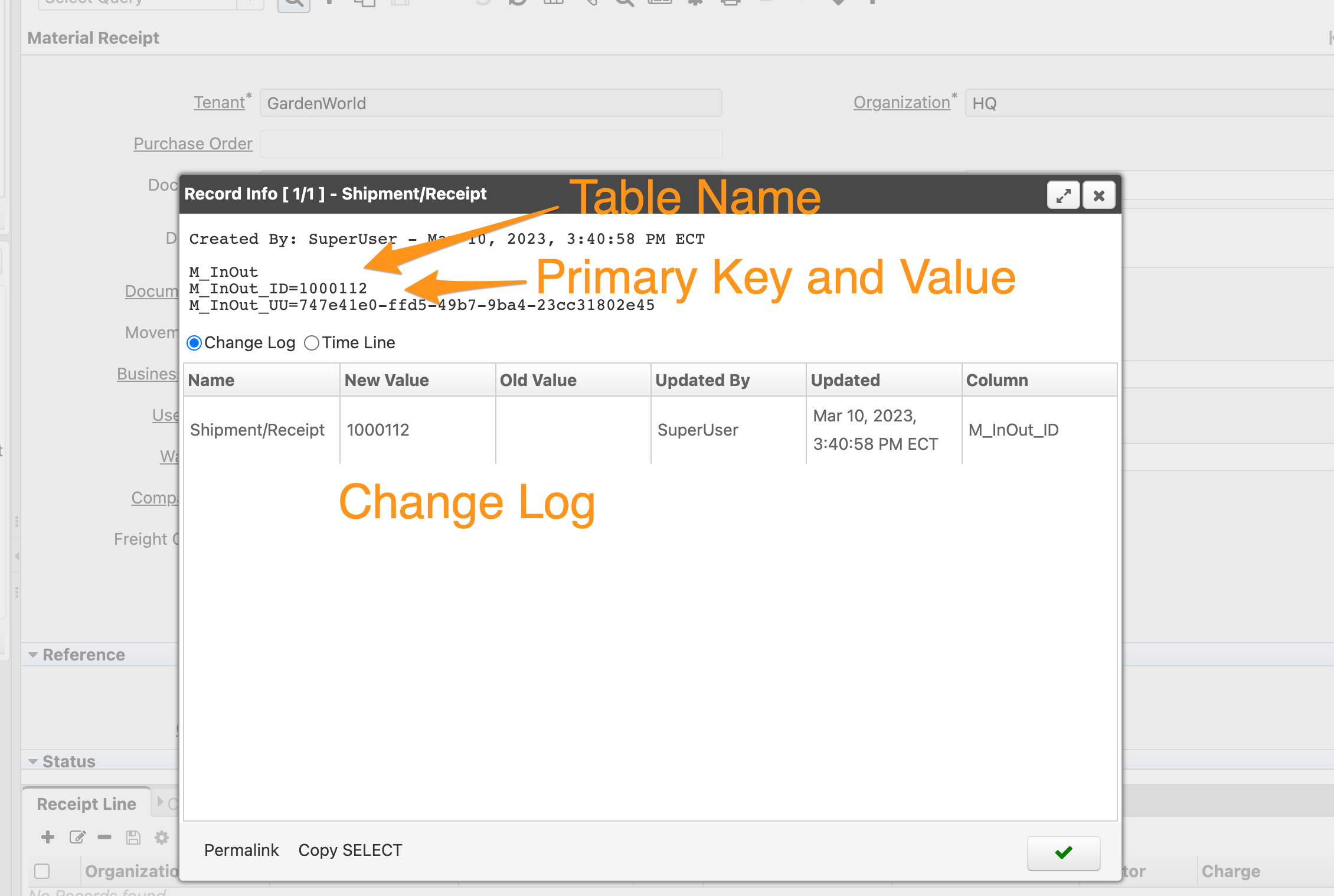
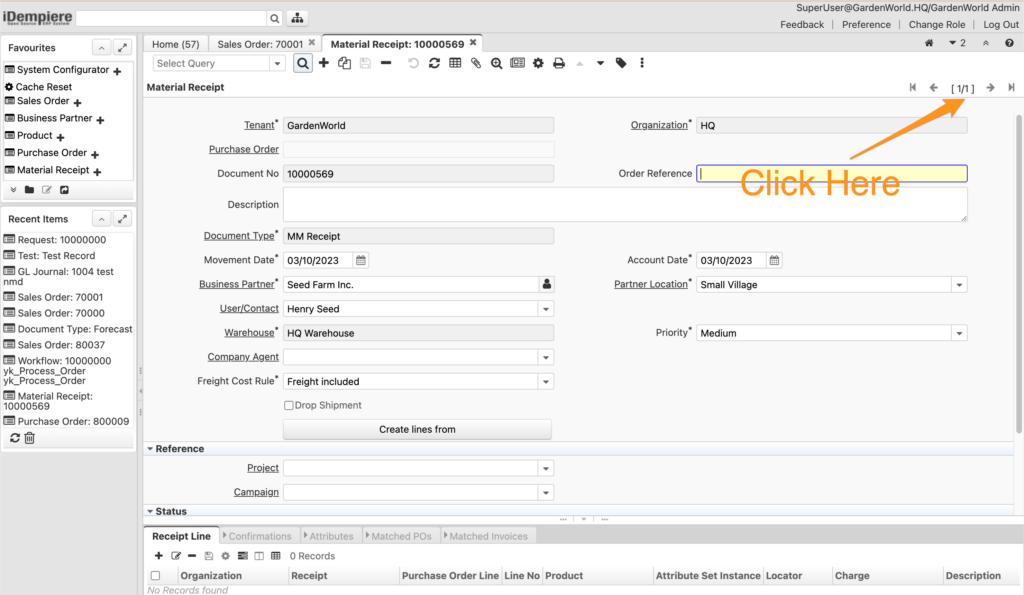
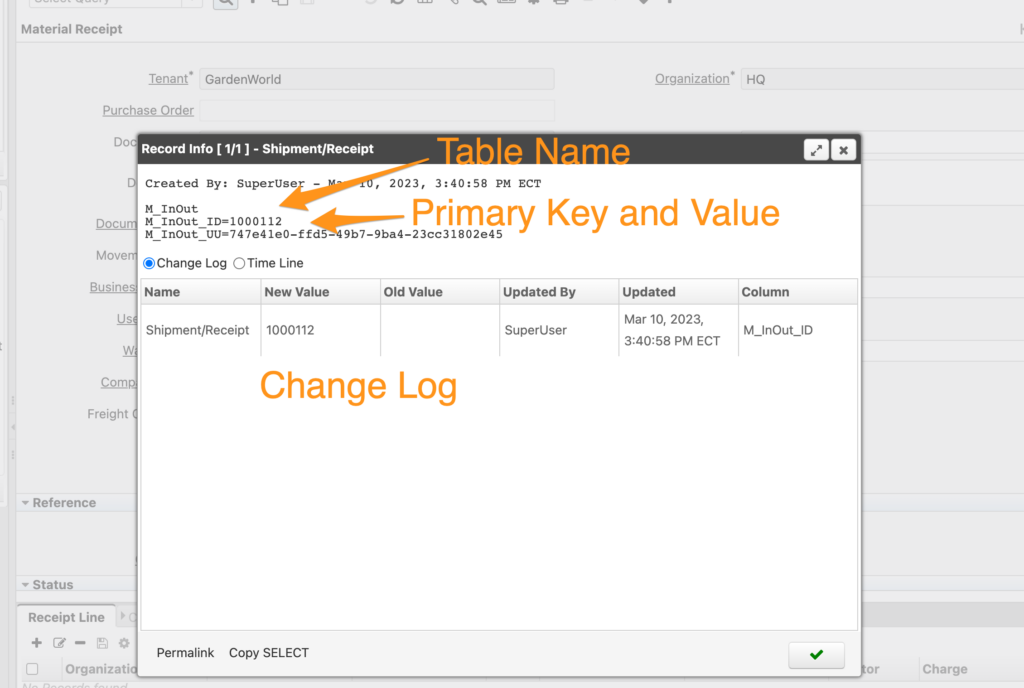
You can click on the Record Navigation Toolbar at the top right corner of each window, and a window will pop up. It provides the table name, primary key, value, and change log information.
English Version
This article provides a comprehensive guide for users of iDempiere ERP who want to retrieve information on the content of documents and their corresponding data tables. The guide outlines the steps involved in accessing the necessary information and provides helpful tips on how to navigate the system efficiently. Readers will learn how to identify and locate data tables associated with specific documents, as well as how to extract and analyze data from those tables. With this guide, users of iDempiere ERP will have the tools they need to retrieve and utilize critical information effectively, leading to improved decision-making and increased efficiency.
You can click on the Record Navigation Toolbar at the top right corner of each window, and a window will pop up. It provides the table name, primary key, value, and change log information.
日本語版
この記事は、iDempiere ERPのドキュメントの内容と対応するデータテーブルの情報を取得したいユーザー向けの包括的なガイドです。必要な情報にアクセスするための手順を説明し、システムを効率的にナビゲートするための役立つヒントを提供します。特定のドキュメントに関連付けられたデータテーブルの識別と検索方法、およびそれらのテーブルからデータを抽出・分析する方法を学ぶことができます。このガイドにより、iDempiere ERPユーザーは重要な情報を効果的に取得・活用するためのツールを手に入れ、意思決定の改善と効率の向上につなげることができます。
各ウィンドウの右上にあるレコードナビゲーションツールバーをクリックすると、ウィンドウがポップアップ表示されます。テーブル名、主キー、値、および変更ログ情報が表示されます。